
Lighting for your cozy streaming and gaming
When building a high-end streaming channel, an immersive battlestation, or a cozy desktop sanctuary, lighting is often the missing ingredient. Many creators focus heavily on upgrading their cameras or graphics cards, completely overlooking how lighting controls presentation, reduces eye strain, and shapes room ambiance. Proper lighting transforms a generic room into an atmospheric, professional workspace.
To achieve balanced illumination—combining customizable color environments with high-quality facial lighting—five standout options lead the market: the Razer Aether Standing Light Bars, the Razer Aether Lamp, the ROG Aura Monitor Light Bar ALB01, the Nanoleaf Triangle Smarter Kit, and the Lume Cube Cordless Ring Light Pro.
This comprehensive guide analyzes their technical specifications, smart ecosystem features, and real-world performance to help you design your ideal configuration.
1. Razer Aether Standing Light Bars: The Immersive Room Synchronizer
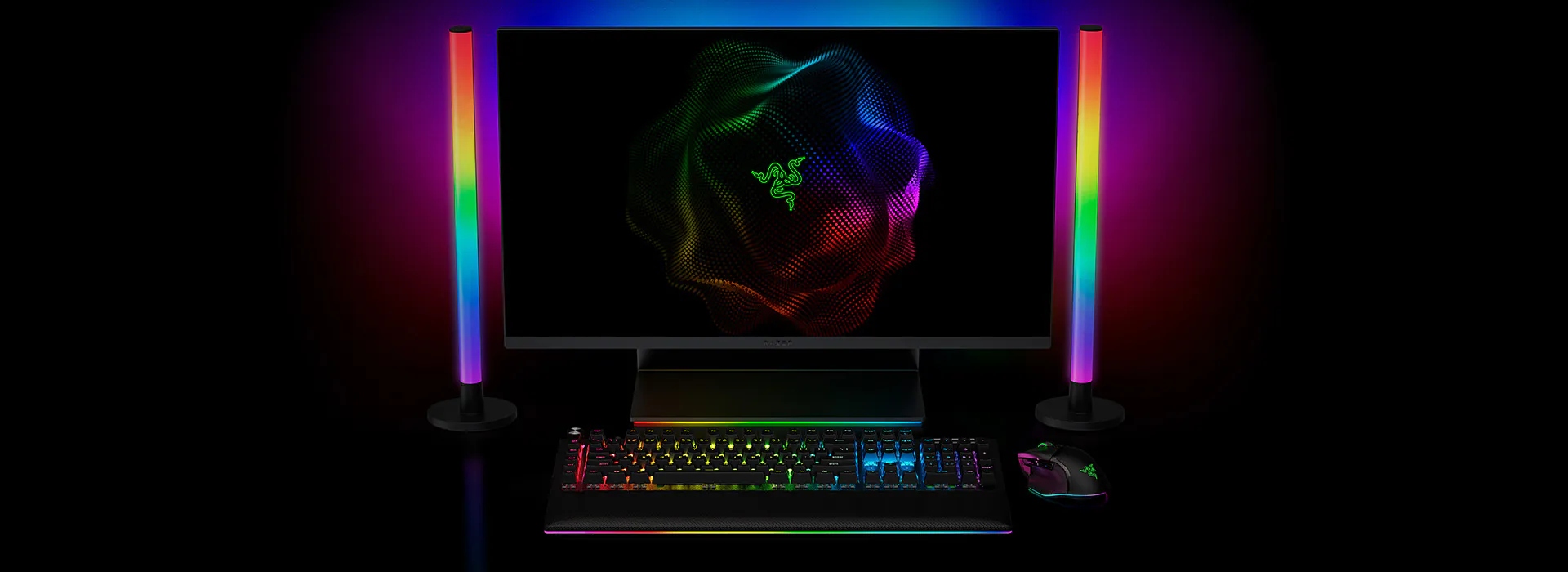

PROS: Dual-sided addressable aRGB lighting, deep integration with Razer Chroma, Matter-compatible smart home support, ambient screen awareness modes.
CONS: Requires the desktop Synapse app or Razer mobile app for advanced custom tuning.
Dual-Sided Addressable aRGB Architecture
The Razer Aether Standing Light Bars are designed to expand your desktop lighting into your entire room environment. Featuring a dual-sided vertical tower design, these light bars project vibrant, addressable RGB colors backward onto your walls while diffusing subtle ambient lighting forward. This engineering choice softens harsh shadows behind your monitor, expanding your workspace’s perceived depth on camera.
Razer Chroma Integration and Ambient Awareness
Powered by Razer Chroma™ RGB, these light bars access a palette of 16.8 million colors and a variety of dynamic lighting effects. Through the Razer Synapse app, creators can activate advanced computational lighting modes:
- Ambient Awareness: Automatically captures and averages the dominant colors in custom regions of your monitor, projecting your game or movie colors across your room.
- Audio Meter: Syncs lighting pulses and color shifts to your microphone input or system audio, ideal for high-energy live streams or musical breaks.
Smart Home Ready with Universal Connectivity
Razer has updated its smart room approach by making the Aether line fully compatible with Matter, the universal smart home connectivity standard. This allows the light bars to integrate with other smart home systems and controllers, enabling voice control through Google Assistant or Amazon Alexa for automated lighting changes.
2. Razer Aether Lamp: The Multi-Zone Ambient Centerpiece
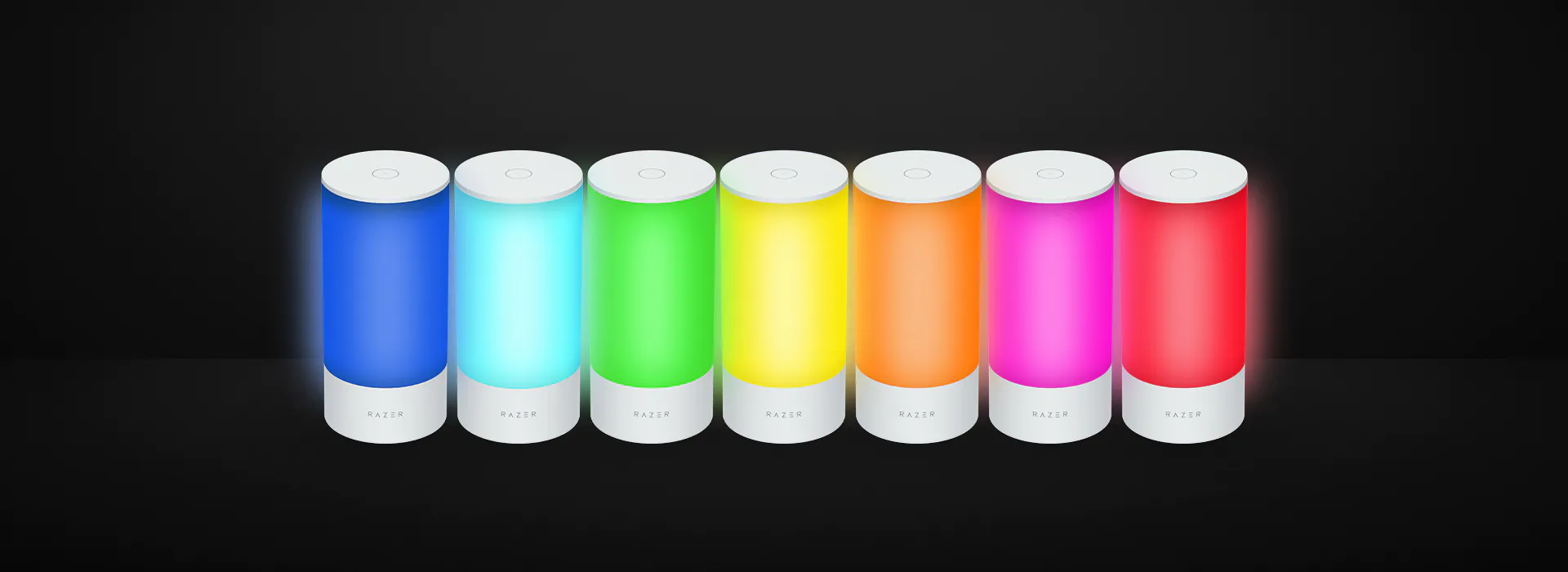
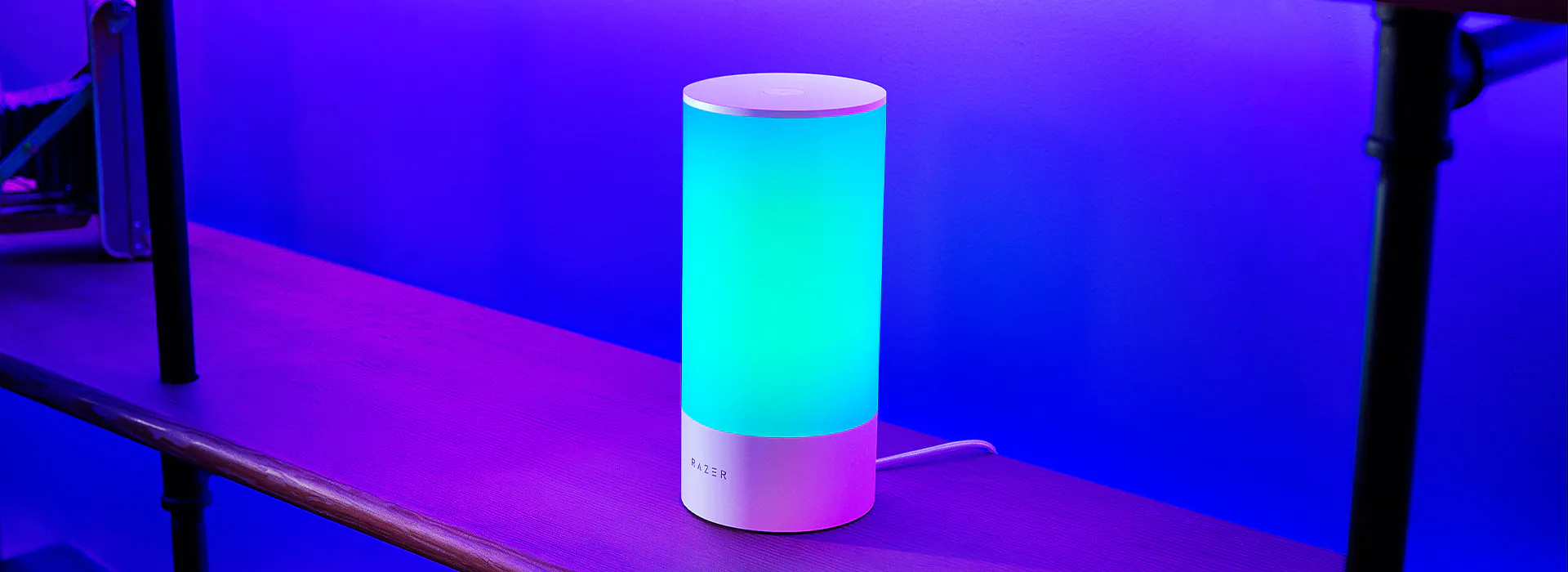
PROS: Compact footprint, multi-zone individually programmable LEDs, intuitive tactile hardware controls, excellent diffusion.
CONS: Best suited for accent lighting rather than illuminating a subject's face directly.
Multi-Zone Programmable Customization
Designed to sit neatly on a desk, bookshelf, or side table, the Razer Aether Lamp offers localized ambient lighting in a compact form factor (100 mm x 100 mm x 214 mm). Unlike standard smart lamps that emit a single color across the entire diffuser, the Aether Lamp features several individually programmable lighting zones. This allows the hardware to render smooth color gradients and complex multi-color patterns simultaneously.
Tactile Onboard Adjustments
While fully controllable via the Razer Gamer Room mobile app, the lamp features a clean, responsive physical interface on the housing. Simple taps and swipes allow you to:
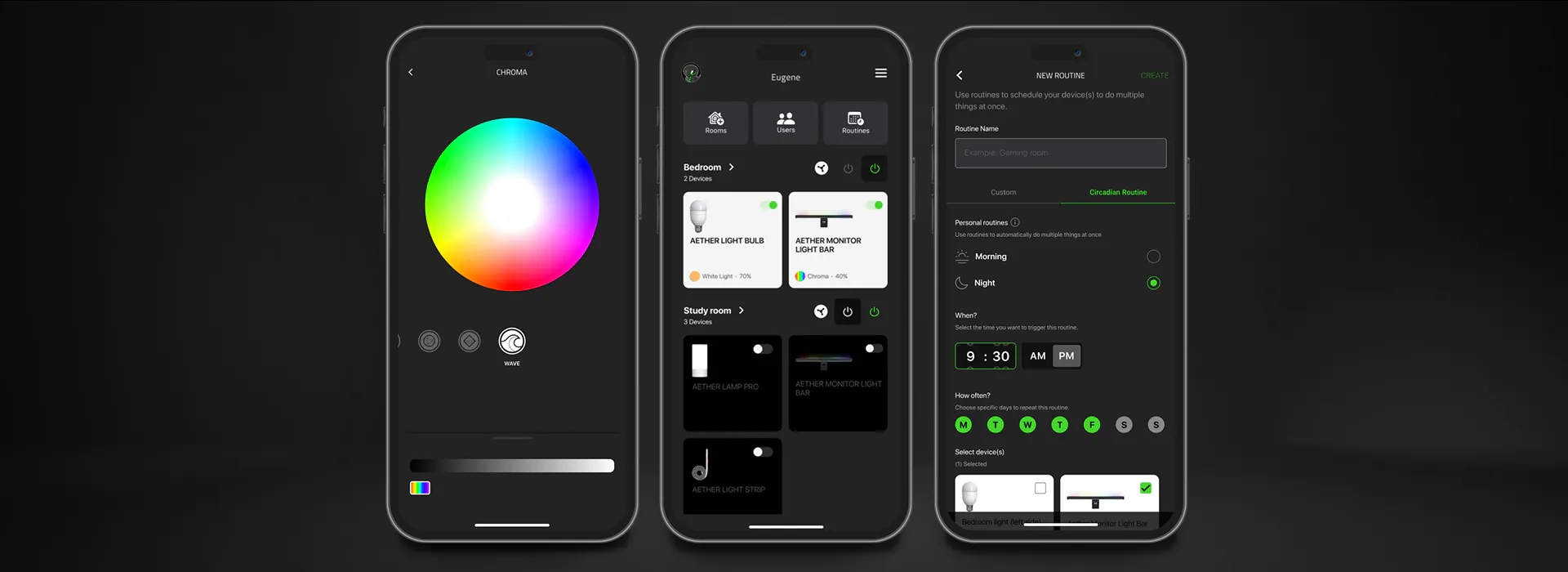
- Adjust overall brightness percentages.
- Change white color temperature scales.
- Cycle through quick lighting effects like Fire, Breathing, or Wave.
Like its light bar sibling, it connects natively via Matter over Wi-Fi, allowing you to sync your desk lighting seamlessly with your larger smart home routines.
3. ROG Aura Monitor Light Bar ALB01: The Eye-Care Workspace Optimizer
PROS: Asymmetrical optical path eliminates screen reflection, impressive high CRI (Ra ≥ 95), space-saving magnetic monitor mount, Aura Sync ecosystem control.
CONS: Limited to monitor mounting; not meant for creative accent wall shapes.
Asymmetrical Lighting Design
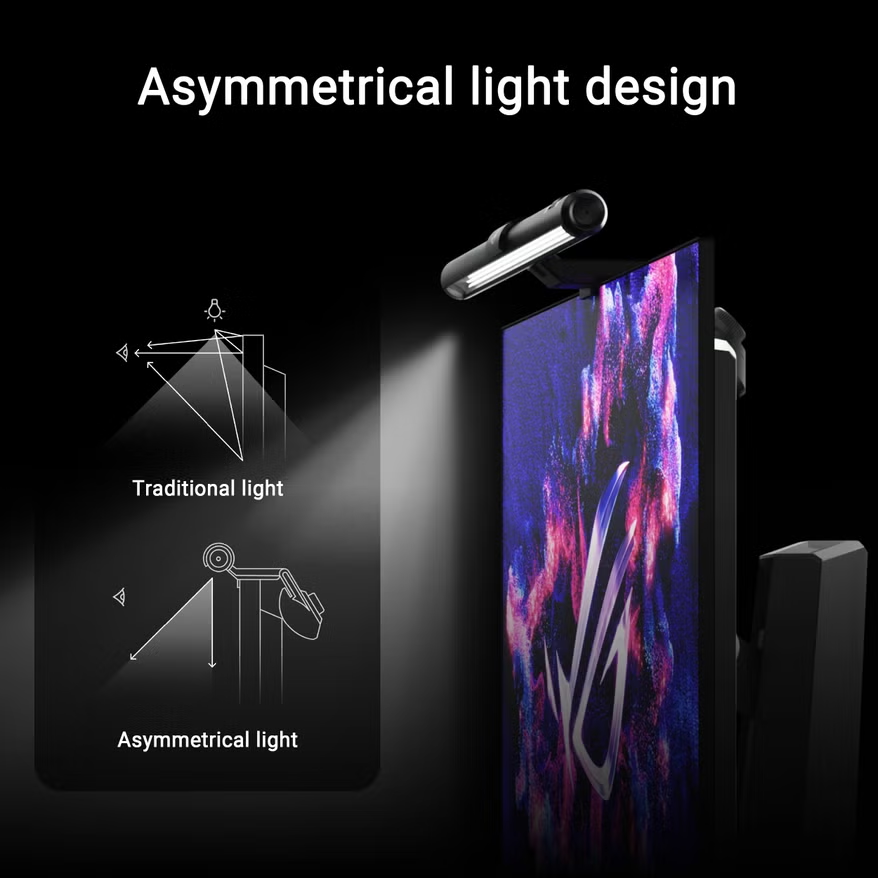
The ROG Aura Monitor Light Bar ALB01 approaches desk lighting from a functional, performance-oriented perspective. Standard desk lamps bounce light off monitor glass, causing distracting glare and eye fatigue during long gaming sessions. The ALB01 utilizes a precise asymmetrical optical path that concentrates high-output light downward onto your keyboard and mouse pad area while completely avoiding the screen surface.
Professional Color Accuracy and Eye Safety
For creators who edit videos, grade photos, or stream for long stretches, color fidelity is crucial. The ROG Aura bar features a Color Rendering Index (CRI) Ra ≥ 95, ensuring skin tones and desk accessories look natural. It delivers a strong light output over 800 lux at a height of 45cm and carries dual certifications (IEC 62471 and IEC 62778) for blue light safety, alongside flicker-free operation.
💡 Technical Setup Tip: Use the front roller switch to adjust the color temperature seamlessly between 2700K warm light for relaxed, cozy evening streams and 6500K cool white for focused, high-energy gaming.
Dual-Zone Lighting Modes
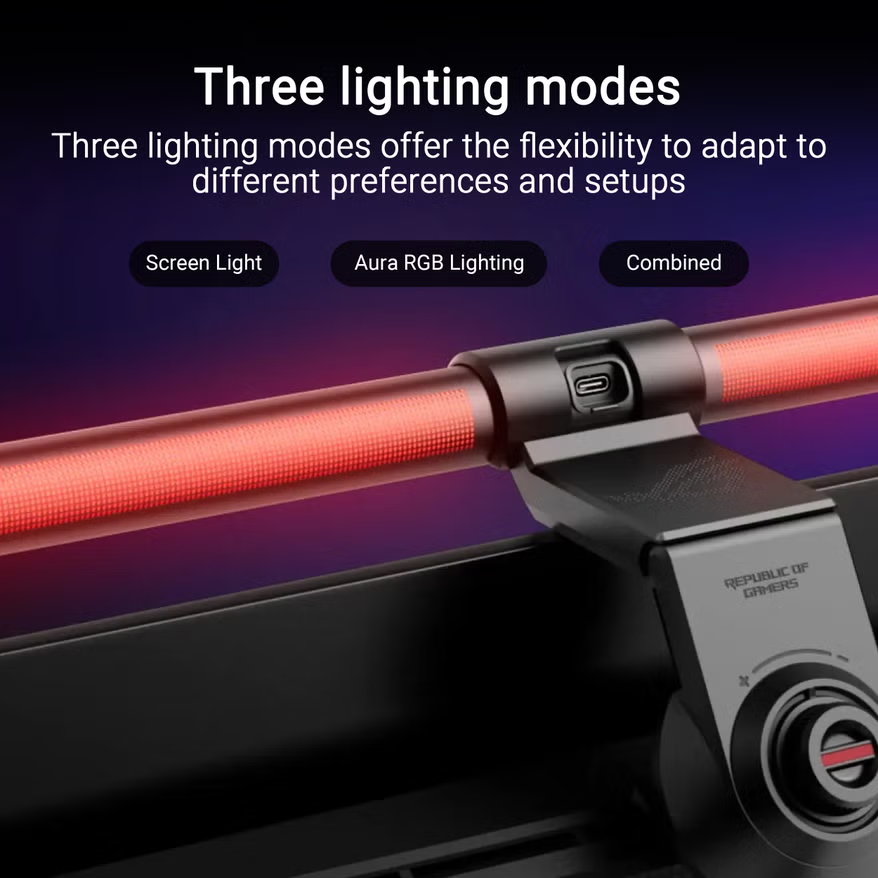
The ALB01 features a dual-light source array: a front-facing white LED bar for your desk and a rear-facing RGB array compatible with ASUS Aura Sync. Through the DisplayWidget Center software, you can toggle between three specific modes:
- Screen Light: Pure white down-light for focused editing.
- Aura RGB Lighting: Synchronized rear colors that match your ROG peripherals.
- Combined Mode: All-around illumination that balances workspace visibility with ambient gaming styles.
4. Nanoleaf Triangle Smarter Kit: The Modular Canvas for Camera Backdrops
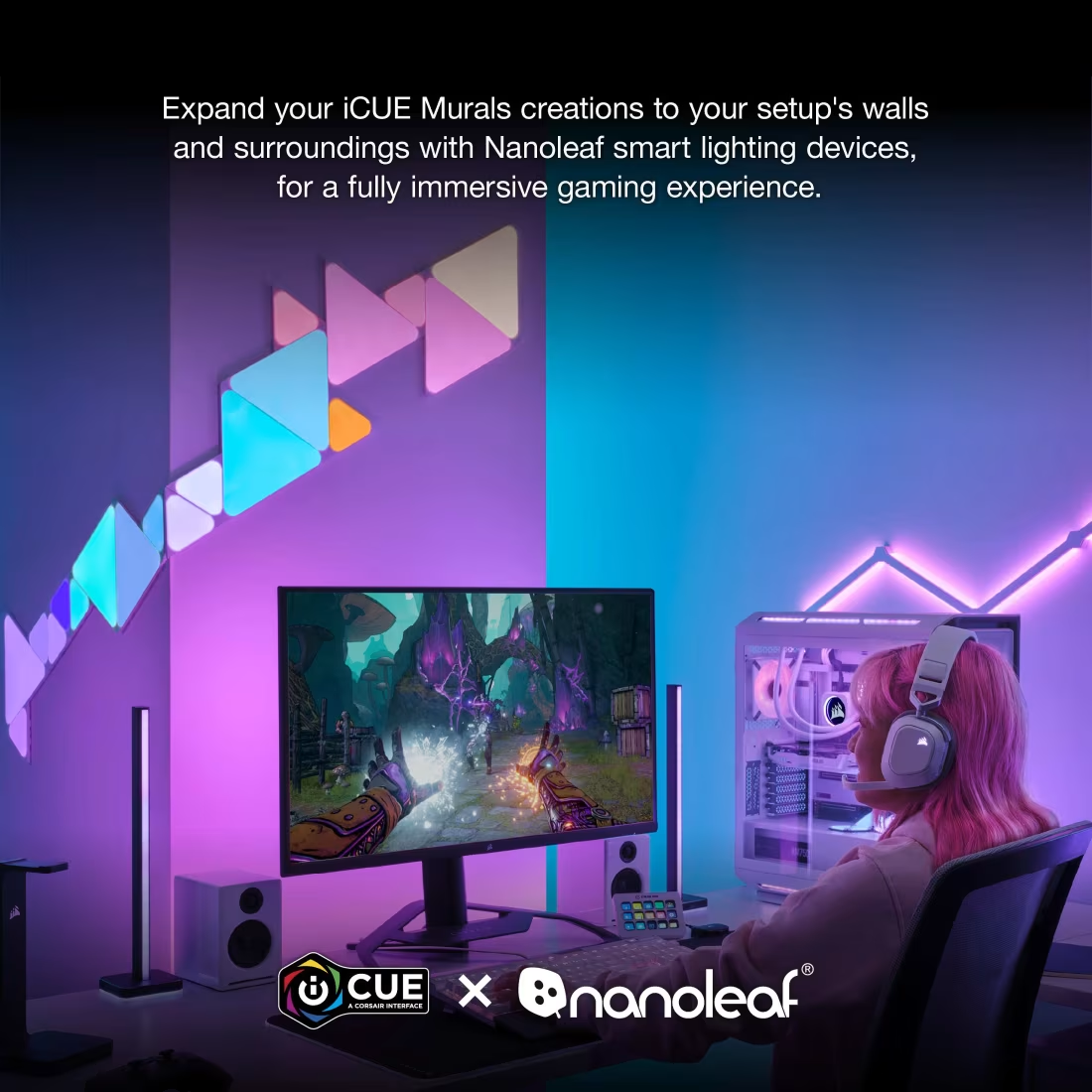
PROS: Modular design enables custom wall shapes, touch-reactive panels, screen-mirroring software, broad platform support (Apple Home, Google, Alexa).
CONS: Requires permanent or semi-permanent wall mounting; higher cost per panel.
Customizable Modular Architecture
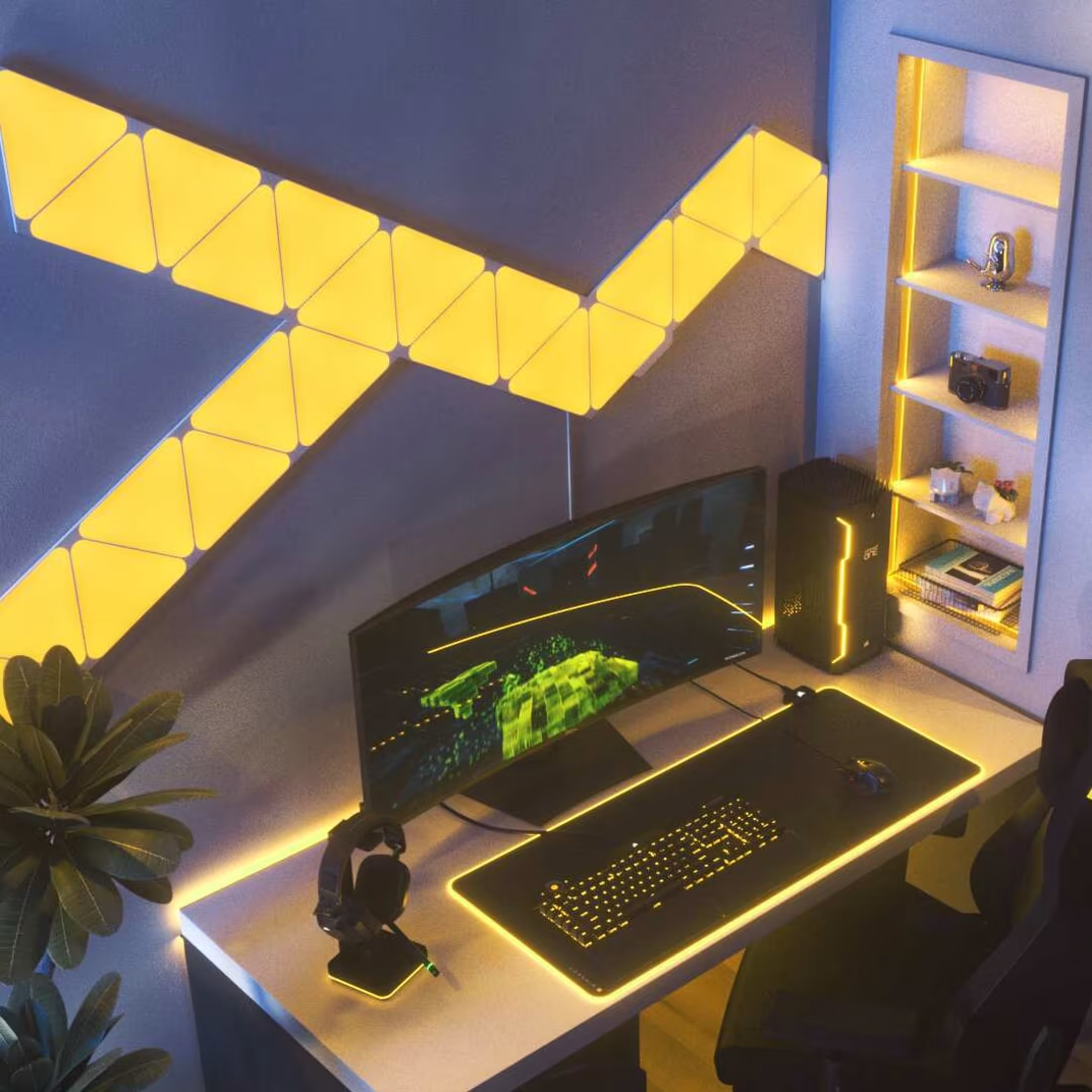
The Nanoleaf Triangle Smarter Kit (7 Panels) is a premium solution for creating a visually striking camera backdrop. These ultra-thin, interlocking LED panels connect via a modular system, allowing creators to design custom shapes—like geometric patterns, chevrons, or abstract pillars—that fit their streaming background perfectly.
Interactive Touch Controls and Rhythmic Audio Sync
Beyond static colors, each panel functions as a touch-sensitive surface. Tapping panels triggers color shifts, ripples, or interactive touch games. The kit features an integrated audio sensor that translates real-time room sound into lighting movements, shifting colors dynamically to your voice or background music.
Screen Mirroring and Smart Integrations
Through the Nanoleaf Desktop App, the panels feature advanced Screen Mirroring technology. Similar to Razer’s ambient awareness software, this syncs the wall panels to mimic the colors and action on your game monitor, creating an expansive lighting experience that blends your monitor with your room.
5. Lume Cube Cordless Ring Light Pro: The Professional Key Light for Streamers
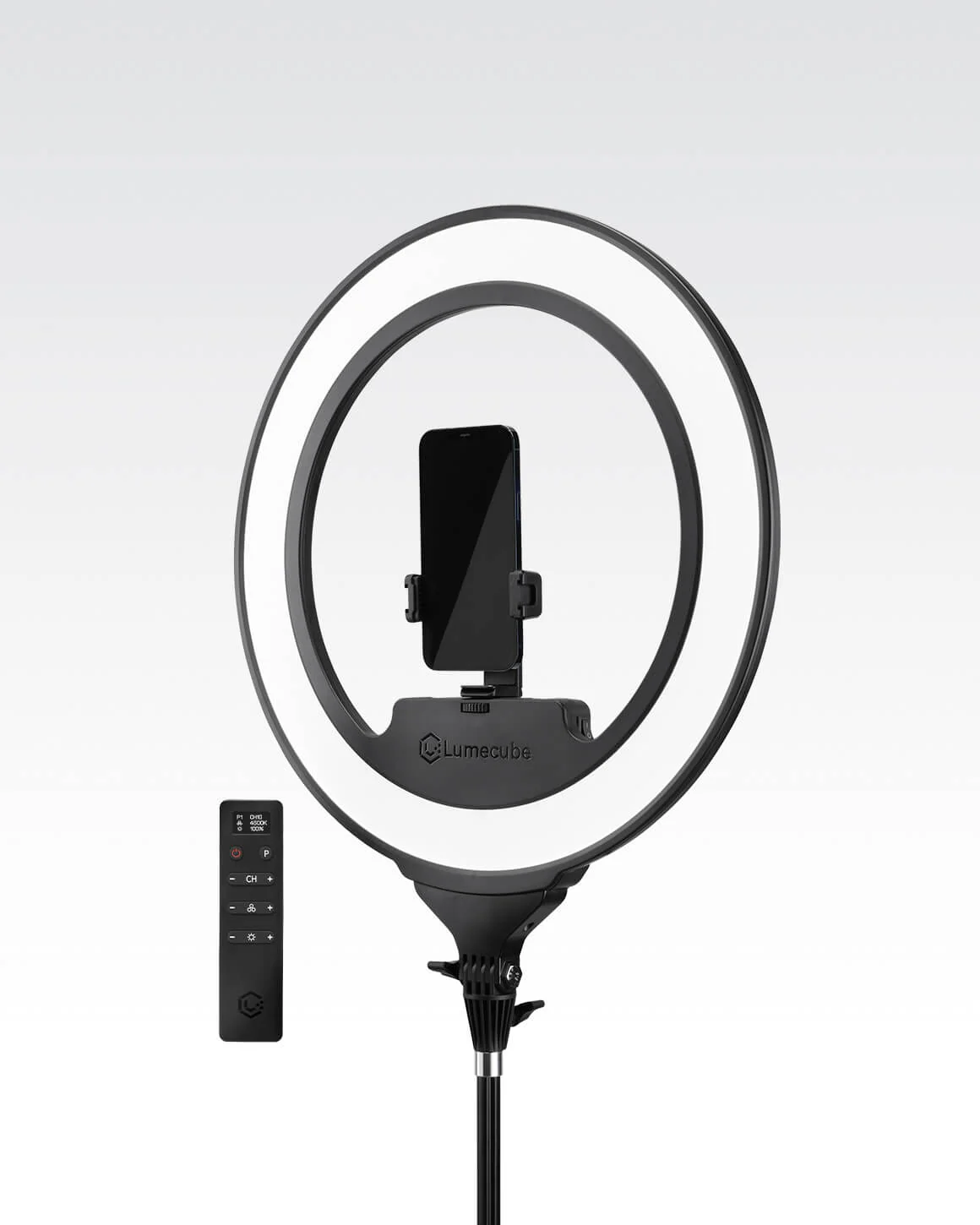
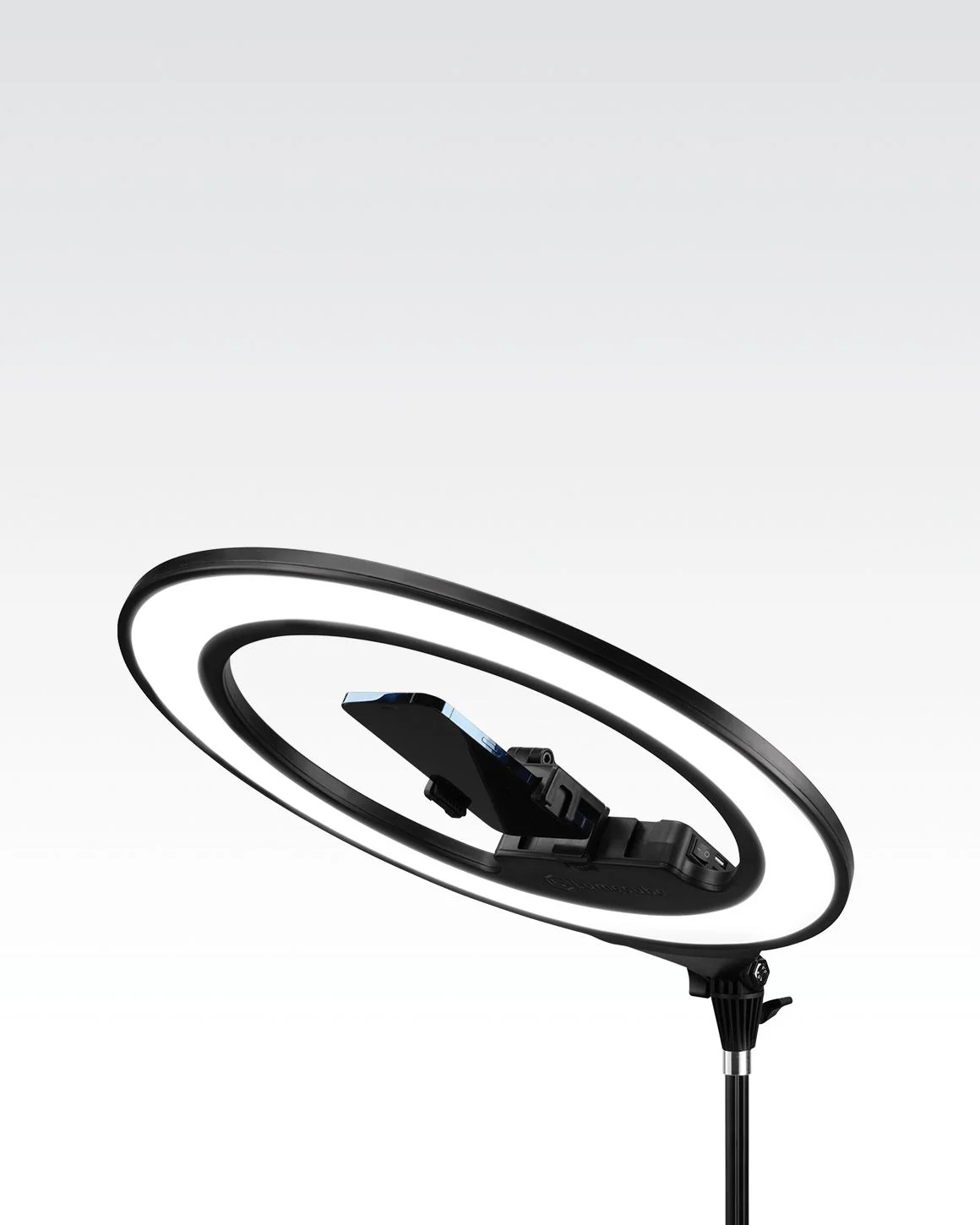
PROS: Wireless battery-powered operation, edge-lit tech produces soft light, high color accuracy (96+ CRI), includes a complete travel kit and 70" stand.
CONS: Large 18-inch desktop footprint; strictly white light spectrum (no accent RGB).
Advanced Edge-Lit Diffusion Technology
While RGB panels and ambient bars create style, you still need a high-quality primary light source to illuminate your face on camera. The Lume Cube Cordless Ring Light Pro is a premium 18-inch ring light built with Edge-Lit LED technology. Rather than pointing LEDs directly at you, 256 bi-color LEDs face inward, bouncing light off internal diffusion walls. This creates soft, balanced illumination that reduces harsh facial shadows and eliminates hot spots.
True Cordless Portability
Most professional key lights require a constant wall outlet connection. The Ring Light Pro features an integrated lithium-ion battery, delivering up to 70 minutes of wireless runtime at maximum brightness and over 180 minutes at lower levels. This portability lets you shoot mobile vlogs, stream in different locations, or adjust your setup without routing extension cords.
💡 Facecam Optimization Tip: Dial your Ring Light Pro to match your room's mood. Its wide 2700K to 7500K spectrum allows you to transition from a cozy, warm candle-lit hue to a bright, daylight studio balance.
Precise Long-Distance Control
The Ring Light Pro includes an updated wireless LCD remote control, allowing you to fine-tune your brightness percentages (1–100%) and color temperatures from a distance without interrupting your recording flow. The kit comes complete with an 18″ to 70″ extendable light stand, a universal rotating smartphone mount, and a premium padded travel case.
Placement Guide: Positioning Your Streaming & Cozy Lights
For the best results, look to place your custom lighting hardware using this balanced configuration:
Optimal Streaming & Cozy Lighting Setup
A step-by-step layout guide to balance your camera frame, eliminate shadows, and maximize room ambiance.
Primary Key Light
Lume Cube Ring Light ProPositioning: Place slightly above eye level at a 45-degree angle to the left or right of your camera.
💡 Why: Reaches your face with soft, filtered lighting that eliminates harsh under-eye shadows.
Task Lighting
ROG Aura Light Bar ALB01Positioning: Mount directly to the top bezel of your primary gaming or streaming monitor.
💡 Why: Focuses crisp light straight down onto your hands and keyboard without bouncing glare off the screen.
Accent Fill Light
Razer Aether Bars & LampPositioning: Place standing towers at the edge of your desk and the lamp on an adjacent shelf.
💡 Why: Spreads gradient color choices along side walls to soften your monitor’s strong front glow.
Camera Backdrop
Nanoleaf Triangle PanelsPositioning: Mount in creative geometric patterns on the wall directly behind your desk chair.
💡 Why: Gives your audience an interesting, clean, and colorful backdrop to look at when you’re on camera.
Premium Content Creator Lighting Comparison
Razer Aether vs. ROG Aura vs. Nanoleaf vs. Lume Cube
| Lighting System | Primary Function | Color Capabilities | Smart Software Control | Key Advantage |
|---|---|---|---|---|
| Razer Aether Standing Bars | Ambient Wall Glow | 16.8 Million Colors (RGB) | Razer Synapse / Chroma App / Matter | Dual-sided addressable light towers |
| Razer Aether Desk Lamp | Accent Desk Lamp | Multi-Zone Gradients (RGB) | Razer Gamer Room App / Matter | Tactile swipe controls & individual zones |
| ROG Aura Light Bar ALB01 | Task / Eye Care | Front: 2700K-6500K Rear: Aura RGB |
DisplayWidget Center / Aura Sync | Asymmetrical anti-glare layout (Ra ≥ 95) |
| Nanoleaf Triangle Kit | Camera Backdrop | 16 Million Colors (RGB) | Nanoleaf Desktop & Mobile / Apple Home | Modular layout with touch-reactivity |
| Lume Cube Ring Light Pro | Vocal / Face Key Light | 2700K – 7500K (Bi-Color White) | Wireless LCD Hardware Remote | Edge-lit diffusion with built-in battery |
- Primary Key Light (Lume Cube): Place this slightly above eye level at a 45-degree angle in front of you to keep your face looking clear and professional on camera.
- Task Light (ROG Aura Bar): Mount this directly onto your main monitor to illuminate your keyboard area and protect your eyes during long sessions.
- Accent Fill (Razer Aether Lamp & Towers): Place the lamp on your desk corners and the towers near your back walls to cast a colorful glow and balance your monitor’s light.
- Camera Backdrop (Nanoleaf Triangles): Mount these on the wall behind you to give your stream audience a clean, professional, and visually engaging background.