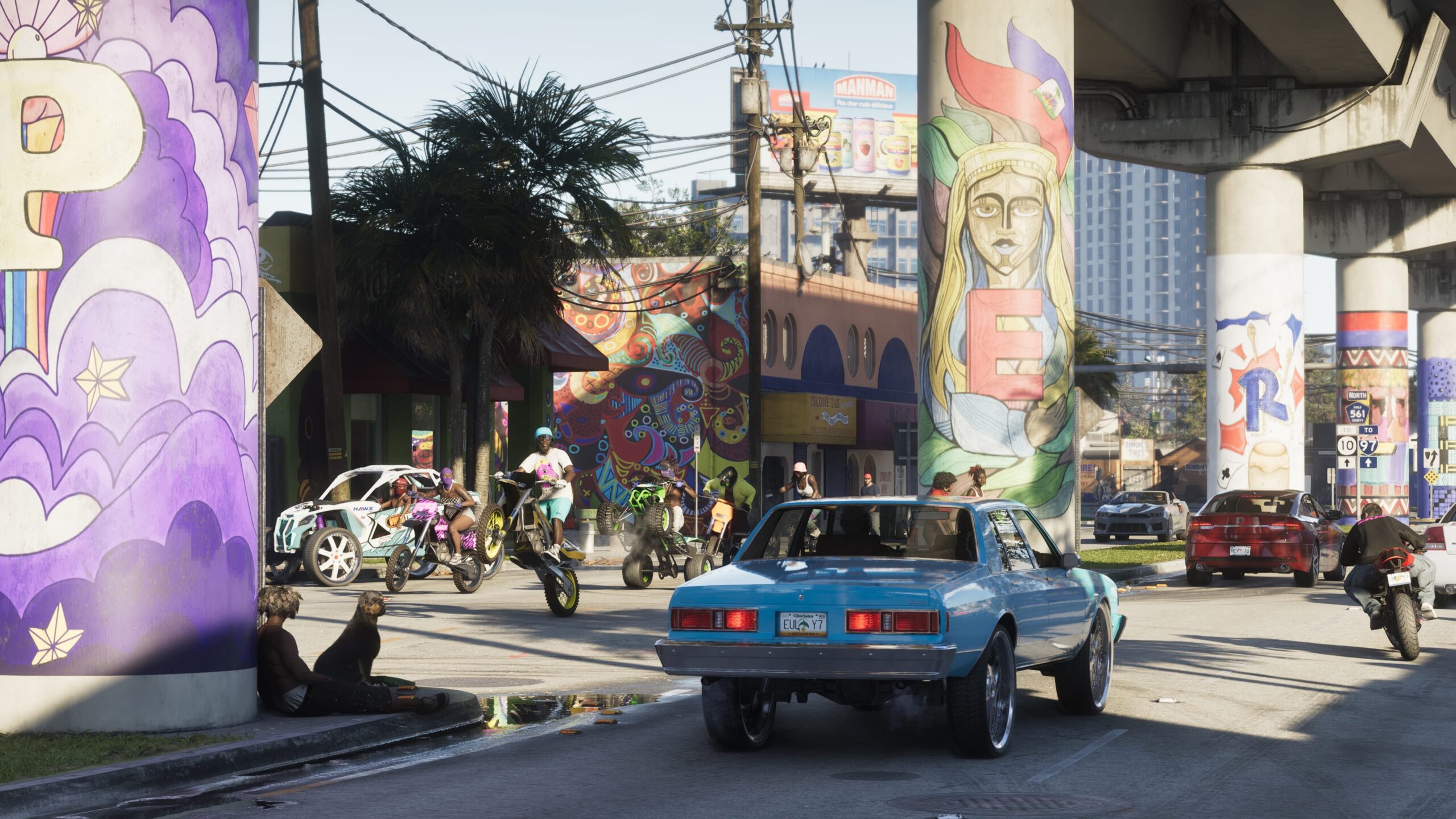
Get the ultimate Grand Theft Auto 6 experience with the best gear.
COMFYPLAYER — Plug it in, change the world
GTA 6 is not just another game release. It is shaping up to be one of the biggest entertainment launches in gaming history, and players who prepare early will have a major advantage — not only in gameplay, but also in content creation.
Whether you are a beginner gamer, a casual player with some skills, or someone who wants to turn GTA 6 into a streaming opportunity, your setup matters. The right controller can improve driving and aiming. The right OLED monitor can make the game world look incredible. The right headset and microphone can make your stream feel professional instead of amateur.
This COMFYPLAYER guide breaks down the best GTA 6 accessories, including controllers, monitors, headsets, microphones, Stream Deck options, PS5 Pro preparation, gaming apparel opportunities, and a complete beginner-friendly streaming strategy to help you earn money from GTA 6 content.
Confirmed GTA 6 Information
Before buying anything, keep the facts clear.
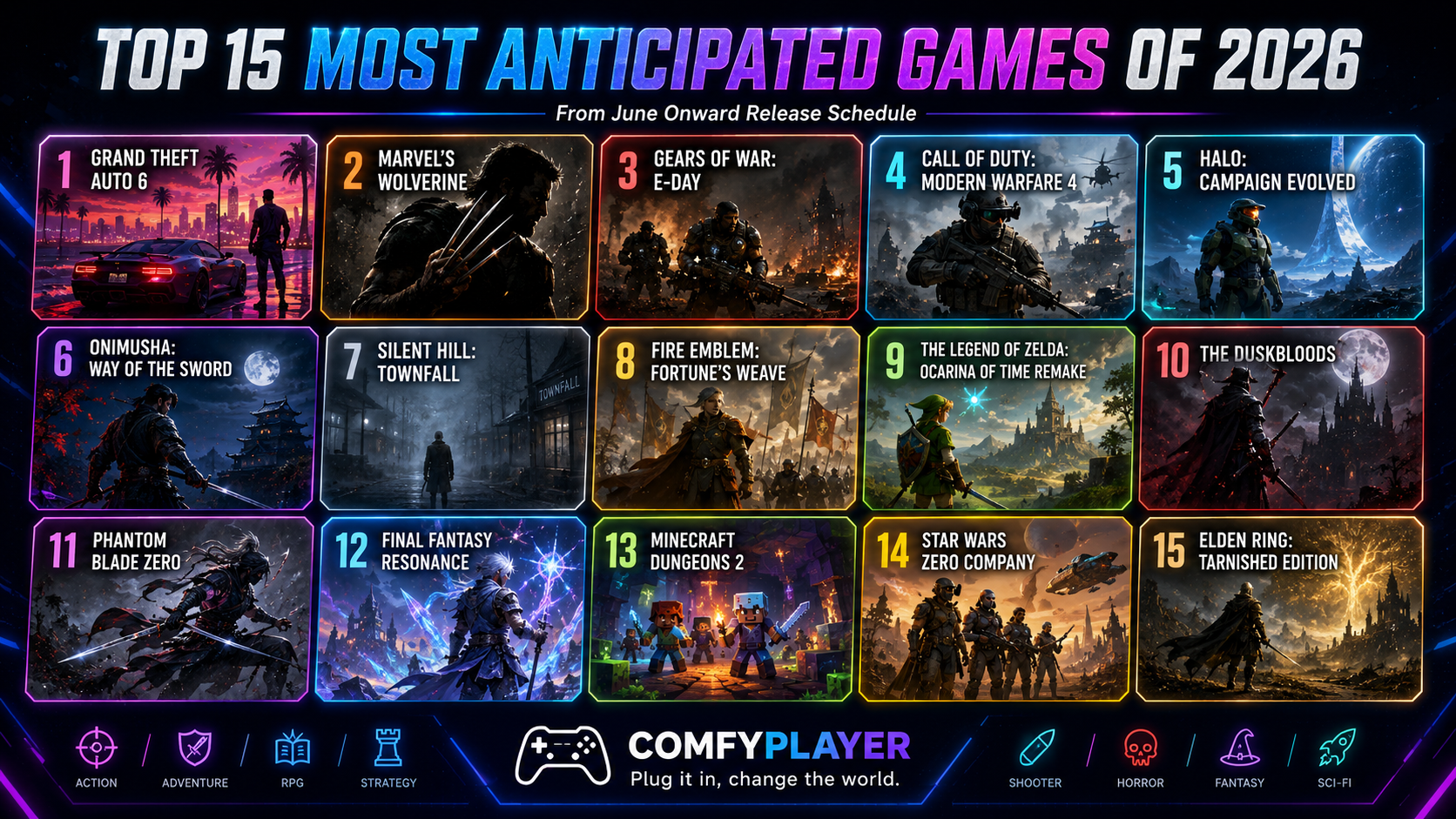
Rockstar Games currently lists Grand Theft Auto VI as coming on November 19, 2026 for PlayStation 5 and Xbox Series X|S. At the time of writing, Rockstar has not officially confirmed a PC release date.
That means the safest premium setup right now is based around PS5, PS5 Pro, or Xbox Series X|S. If you are preparing specifically for GTA 6, do not buy hardware based on rumors or unconfirmed PC expectations. Build your setup around confirmed platforms first, then upgrade later if Rockstar announces more versions.
Why Upgrading Your Gear Matters for GTA 6
GTA 6 will likely be a huge open-world experience with driving, shooting, exploration, missions, online chaos, cinematic storytelling, and endless content potential. That kind of game rewards a complete setup.
A standard controller is fine, but a pro controller can help with fast camera movement, driving control, weapon switching, and comfort during long sessions. A regular monitor works, but a high-end OLED display can bring out deeper blacks, cleaner motion, and stronger contrast. A headset helps you hear the world, but a dedicated microphone helps viewers take your stream seriously.
If your goal is maximum entertainment quality, your GTA 6 setup should focus on four things:
- Control
- Visual quality
- Audio clarity
- Content creation workflow
This is where Preparation for GTA 6 becomes more than hype. It becomes a smart investment into your gaming experience and possibly your future creator brand.
Should You Buy a PS5 Pro for GTA 6?
If GTA 6 is your main game, the PS5 Pro is one of the strongest console choices because GTA 6 is officially confirmed for PlayStation 5. PS5 Pro is built for better visual performance in compatible games, with features such as AI-enhanced resolution, ray tracing support, and smoother performance options depending on the game.
However, here is the honest part: Rockstar has not confirmed the final GTA 6 resolution, frame rate, ray tracing modes, or PS5 Pro-specific enhancements yet.
So should you buy a PS5 Pro?
Yes, if:
- You want the strongest PlayStation console
- You care about visuals and performance
- You plan to play other PS5 Pro enhanced games
- You want a premium setup before GTA 6 launches
Wait, if:
- You only want PS5 Pro for GTA 6
- You already own a PS5 and are happy with it
- You want to see Rockstar’s final performance details first
COMFYPLAYER verdict: PS5 Pro is a strong preparation choice, but do not buy it based on unconfirmed GTA 6 performance promises.
Best Controllers for GTA 6
A premium controller is one of the smartest GTA 6 upgrades. You will be driving, aiming, flying, shooting, running, switching weapons, using the camera, and reacting quickly in online situations. Extra buttons and custom profiles can make the game feel smoother.
1. DualSense Edge Wireless Controller — Best Overall for PS5 Players
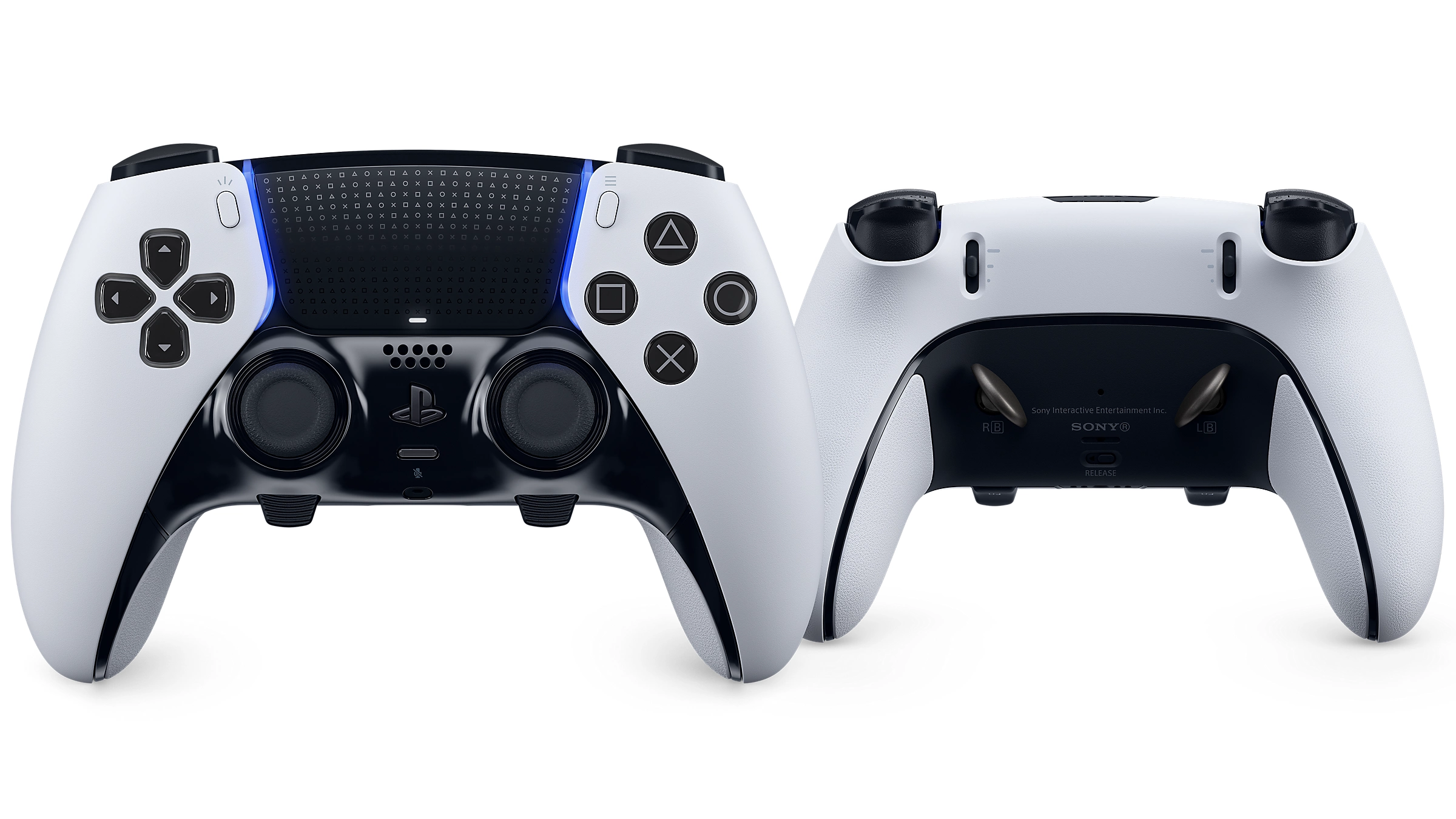
The DualSense Edge Wireless Controller is the safest premium choice for most PS5 players. It keeps the official PlayStation feel while adding remappable buttons, adjustable triggers, changeable stick caps, back buttons, and custom control profiles.
For GTA 6, this is useful because you can create different profiles for:
- Driving
- Shooting
- Flying
- Online combat
- Cinematic story gameplay
The DualSense Edge also keeps PlayStation’s haptic feedback and adaptive trigger features, which may be valuable if GTA 6 uses them heavily.
Pros
- Best official PS5 integration
- Remappable buttons
- Adjustable triggers
- Great for story and online play
- Keeps DualSense immersion features
Cons
- Expensive
- Not as modular as Victrix
- Battery life may not be its strongest feature
Best for: PS5 and PS5 Pro players who want the most balanced premium controller.
COMFYPLAYER pick: Best overall controller for GTA 6 on PlayStation.
2. Razer Raiju V3 Pro — Best Competitive Controller
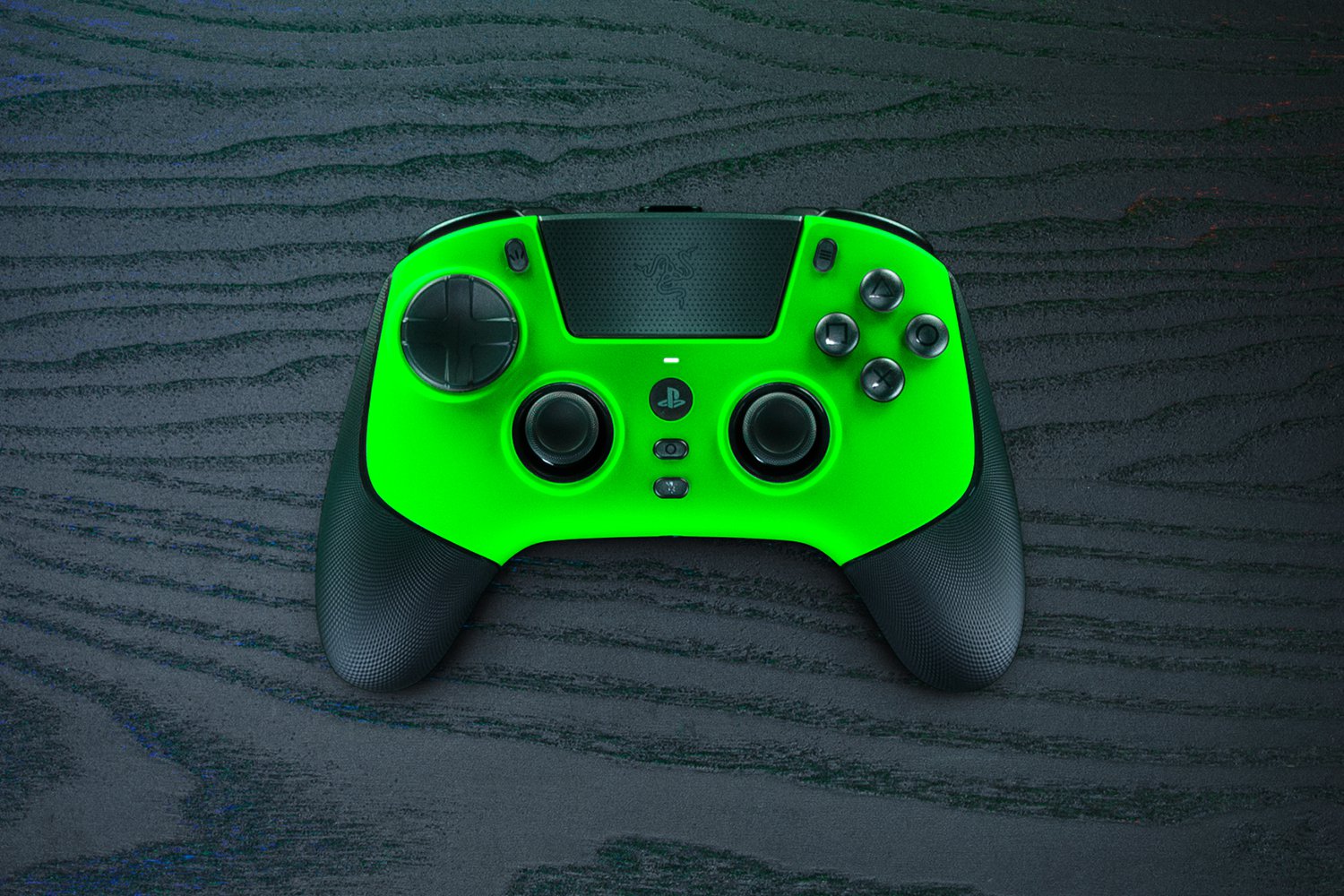
The Razer Raiju V3 Pro is built for competitive players who want speed, precision, and extra control. It is a strong option for players who care about fast inputs, remappable buttons, and a performance-focused layout.
For GTA 6, this makes the most sense if you plan to play a lot of online modes, races, PvP, roleplay events, or creator challenges.
Pros
- Excellent for competitive gameplay
- Fast back buttons
- Strong customization
- Great for serious players
- Useful for PS5 and PC-style setups depending on compatibility
Cons
- Premium price
- Less focused on PlayStation haptics than DualSense Edge
- May be too much for casual players
Best for: Competitive GTA 6 players and streamers who want fast input and custom control.
COMFYPLAYER pick: Best performance controller.
3. Victrix Pro BFG Reloaded Wireless Modular Controller — Best Modular Option
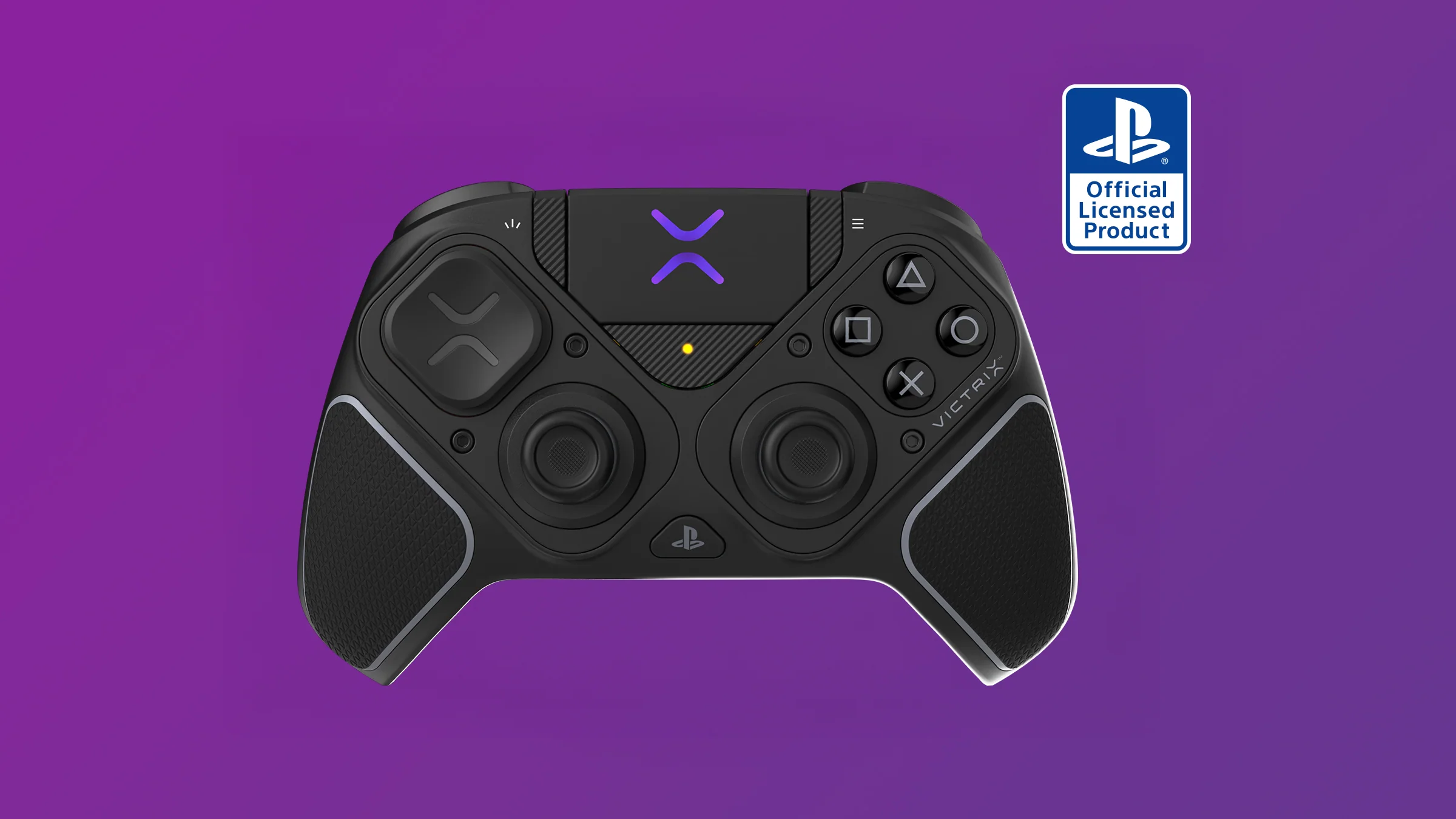
The Victrix Pro BFG Reloaded is the controller for players who love customization. Its modular design lets you adjust the layout depending on how you play.
This is useful if GTA 6 is not your only game. If you also play fighting games, shooters, racing games, or Free-to-Play Games like Fortnite, Apex Legends, or Warzone, the Victrix Pro BFG Reloaded gives you more flexibility than a traditional controller.
Pros
- Modular design
- Great for multiple game genres
- Wireless and wired options
- Strong customization
- Excellent for players who switch between game styles
Cons
- Make sure you buy the correct platform version
- Less native PlayStation feeling than DualSense Edge
- Not necessary for casual GTA players
Best for: Players who want one premium controller for GTA 6 and other games.
COMFYPLAYER pick: Best modular controller.
Best Monitor for GTA 6
GTA 6 will likely be a visual showcase, and an OLED monitor is the best way to prepare for deep contrast, fast response, and cinematic visuals.
1. ROG Swift OLED PG32UCDM Gen3 — Best Overall Monitor for GTA 6
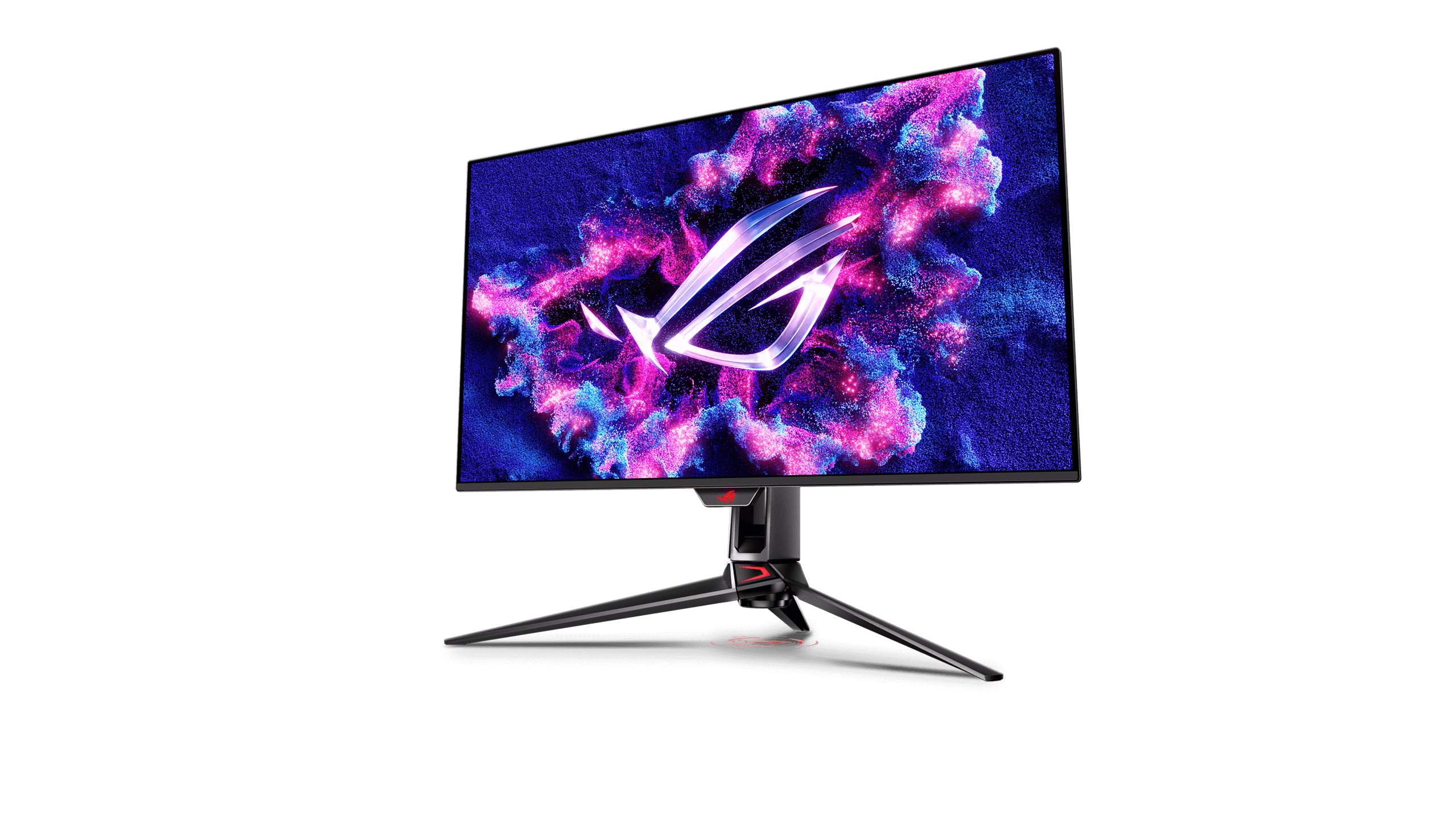
The ROG Swift OLED PG32UCDM Gen3 is the best overall monitor choice from this list. It is a 32-inch 4K QD-OLED gaming monitor with a 240Hz refresh rate.
For GTA 6, 4K matters more than extreme refresh rate. You want detail, cinematic clarity, HDR impact, and enough screen size to feel immersed without overwhelming your desk.
Pros
- 32-inch 4K OLED experience
- Excellent for PS5 Pro and high-end PC gaming
- Great balance of size and clarity
- Strong future-proof choice
Cons
- Expensive
- Overkill if you only play casually
- Console games may not use the full 240Hz refresh rate
Best for: PS5 Pro players and future PC gamers who want the best visual balance.
COMFYPLAYER pick: Best monitor overall for GTA 6.
2. ROG Swift OLED PG34WCDM — Best Cinematic Ultrawide
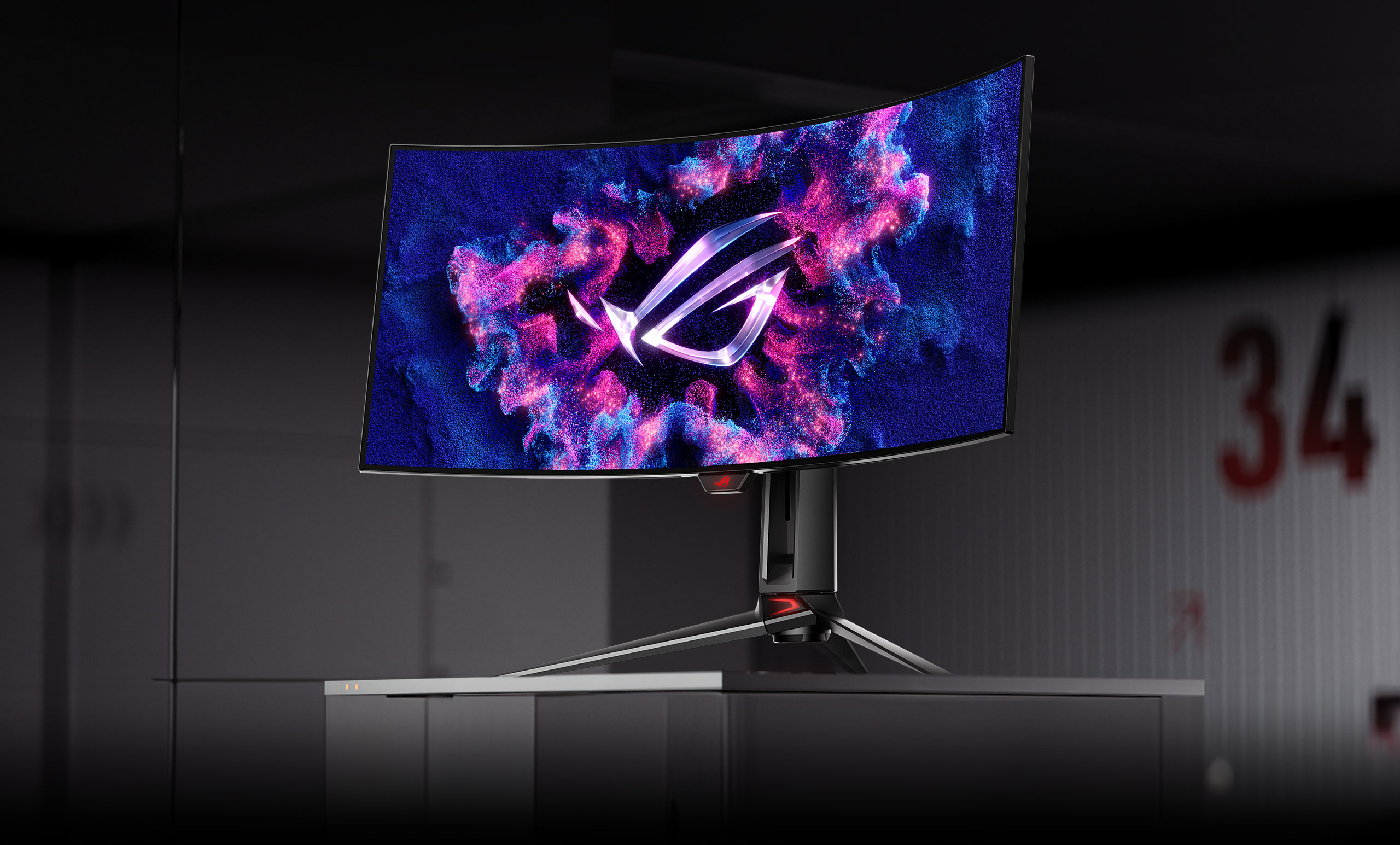
The ROG Swift OLED PG34WCDM is a 34-inch 1800R curved Tandem RGB QD-OLED ultrawide monitor with a 360Hz refresh rate and 0.03ms response time.
This monitor is amazing for PC gaming, editing, streaming dashboards, and cinematic immersion. The ultrawide format can make open-world games feel more dramatic, especially for driving and exploration.
However, console players should be careful. PS5 is mainly designed around 16:9 output, not true ultrawide gaming. If you mainly play on console, the PG32UCDM Gen3 is the safer choice.
Pros
- Beautiful ultrawide immersion
- Great for PC gaming and editing
- Excellent for streamers with multiple windows
- Fast 360Hz refresh rate
Cons
- Not ideal as a console-first monitor
- Ultrawide support depends on platform and game
- Expensive
Best for: PC gamers, streamers, and creators.
COMFYPLAYER pick: Best cinematic PC monitor.
3. ROG Swift OLED PG27AQWP-G Edition 20 — Best Esports Option
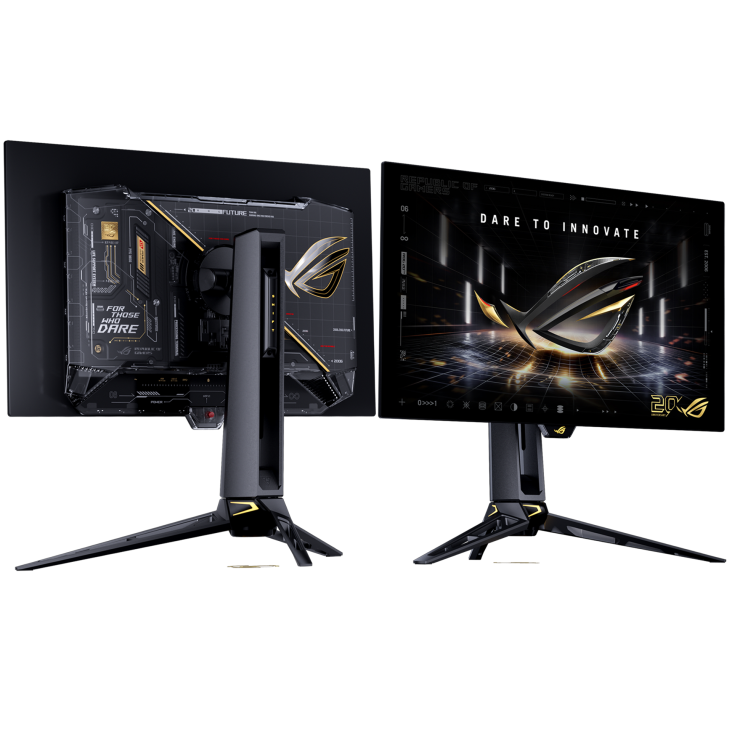
The ROG Swift OLED PG27AQWP-G Edition 20 is a 27-inch Tandem OLED monitor with dual-mode support, including QHD at 540Hz and HD at 720Hz.
For GTA 6, this is not the most practical choice unless you also play competitive shooters. GTA 6 will benefit more from cinematic 4K visuals than ultra-high refresh rates. But if you also play esports titles, this monitor makes sense.
Pros
- Extremely fast refresh rate
- Great for competitive gaming
- Desk-friendly 27-inch size
- Strong for shooters and esports titles
Cons
- Less cinematic than 32-inch 4K OLED
- Overkill for GTA 6 alone
- Better for competitive games than story-driven open-world games
Best for: Competitive players who also want GTA 6.
COMFYPLAYER pick: Best esports monitor.
Best Headsets for GTA 6
Audio is huge in open-world games. You want to hear engines, helicopters, police sirens, footsteps, city noise, weather, dialogue, and online teammates clearly.
1. Razer BlackShark V3 Pro — Best Overall Gaming Headset
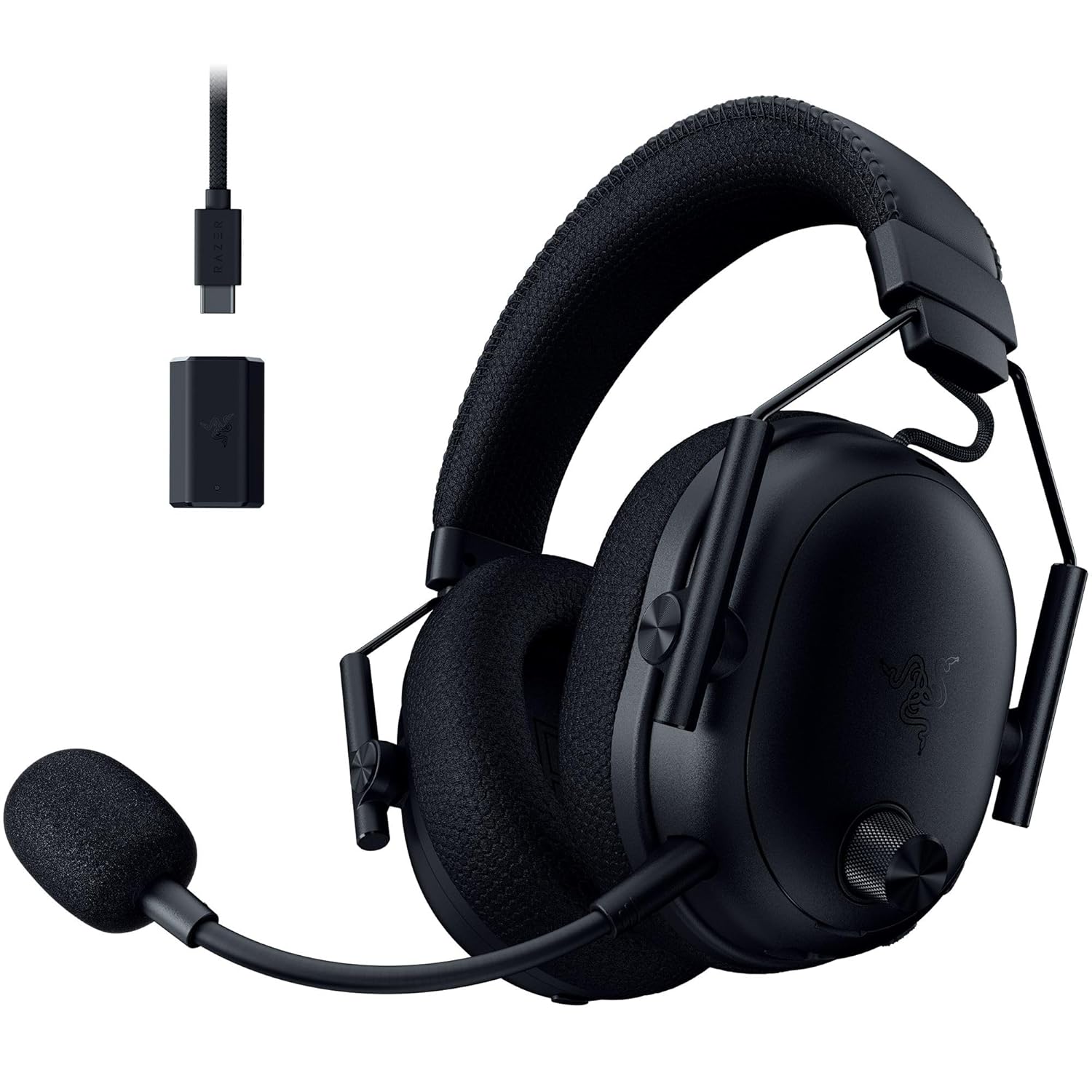
The Razer BlackShark V3 Pro is the best headset for most GTA 6 players and streamers. It is built for focus, comfort, wireless gaming, and esports-style audio.
For GTA 6, this headset makes sense if you want strong immersion and competitive awareness without going into full audiophile territory.
Pros
- Wireless design
- Active noise cancellation
- Strong gaming sound
- Good for long sessions
- Great for competitive and casual play
Cons
- A dedicated microphone is still better for streaming
- Premium price
- Gaming-focused sound may not satisfy audiophile purists
Best for: Most gamers and beginner streamers.
COMFYPLAYER pick: Best headset overall.
2. SteelSeries Arctis Nova Elite — Best Luxury Headset
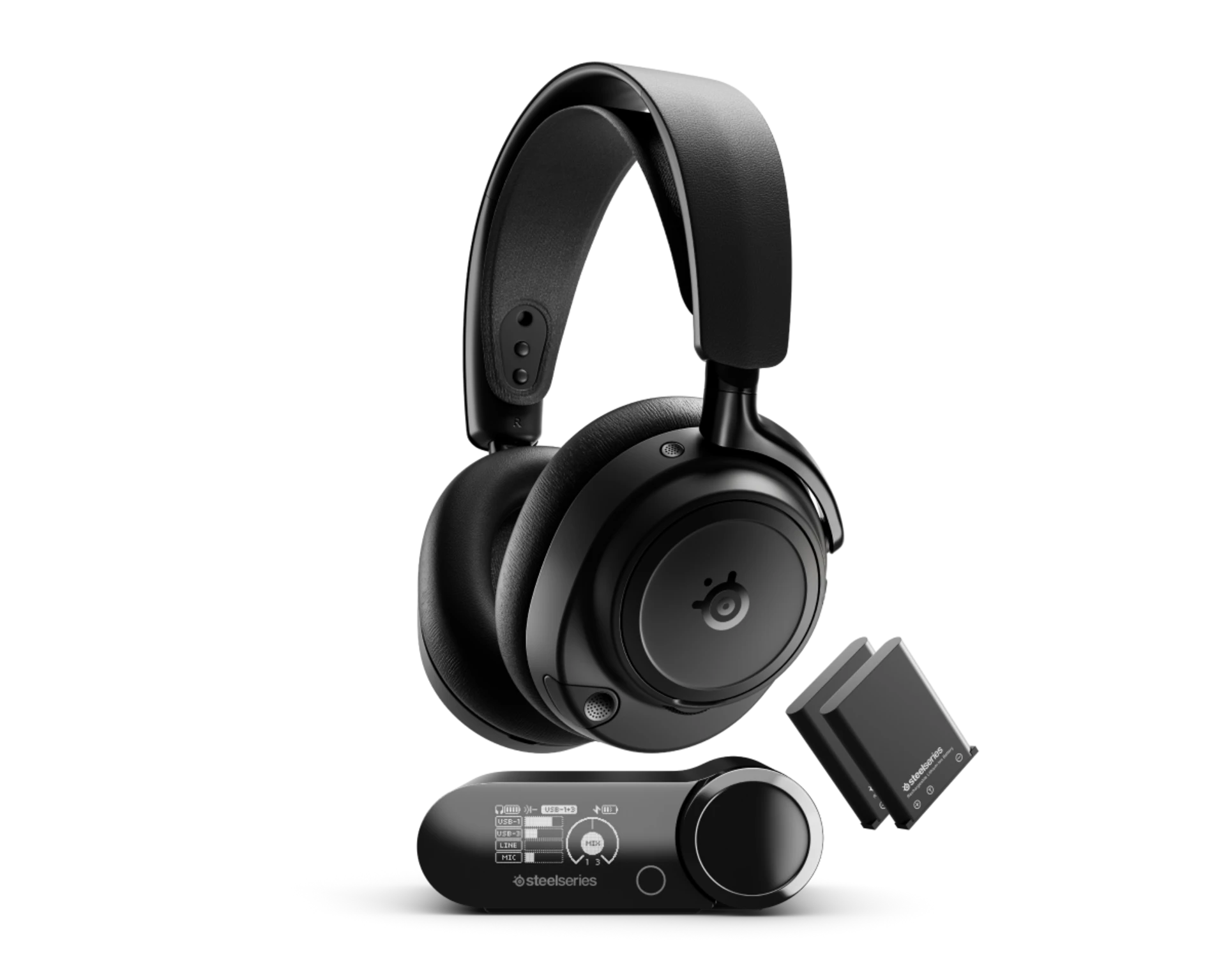
The SteelSeries Arctis Nova Elite is the ultra-premium choice. It is built for players who want wireless Hi-Res audio, multi-source mixing, active noise cancellation, premium materials, and swappable batteries.
This is a serious headset for players who use multiple devices at once: PS5, PC, Discord, phone, capture card, and streaming dashboard.
Pros
- Premium sound
- Multi-source audio mixing
- Swappable battery system
- Luxury build
- Strong for streamers with complex setups
Cons
- Very expensive
- Too much for most beginners
- A standalone microphone is still recommended for professional streaming
Best for: High-budget streamers and audiophile gamers.
COMFYPLAYER pick: Best luxury headset.
3. Sennheiser HD 490 PRO — Best Audiophile Pick
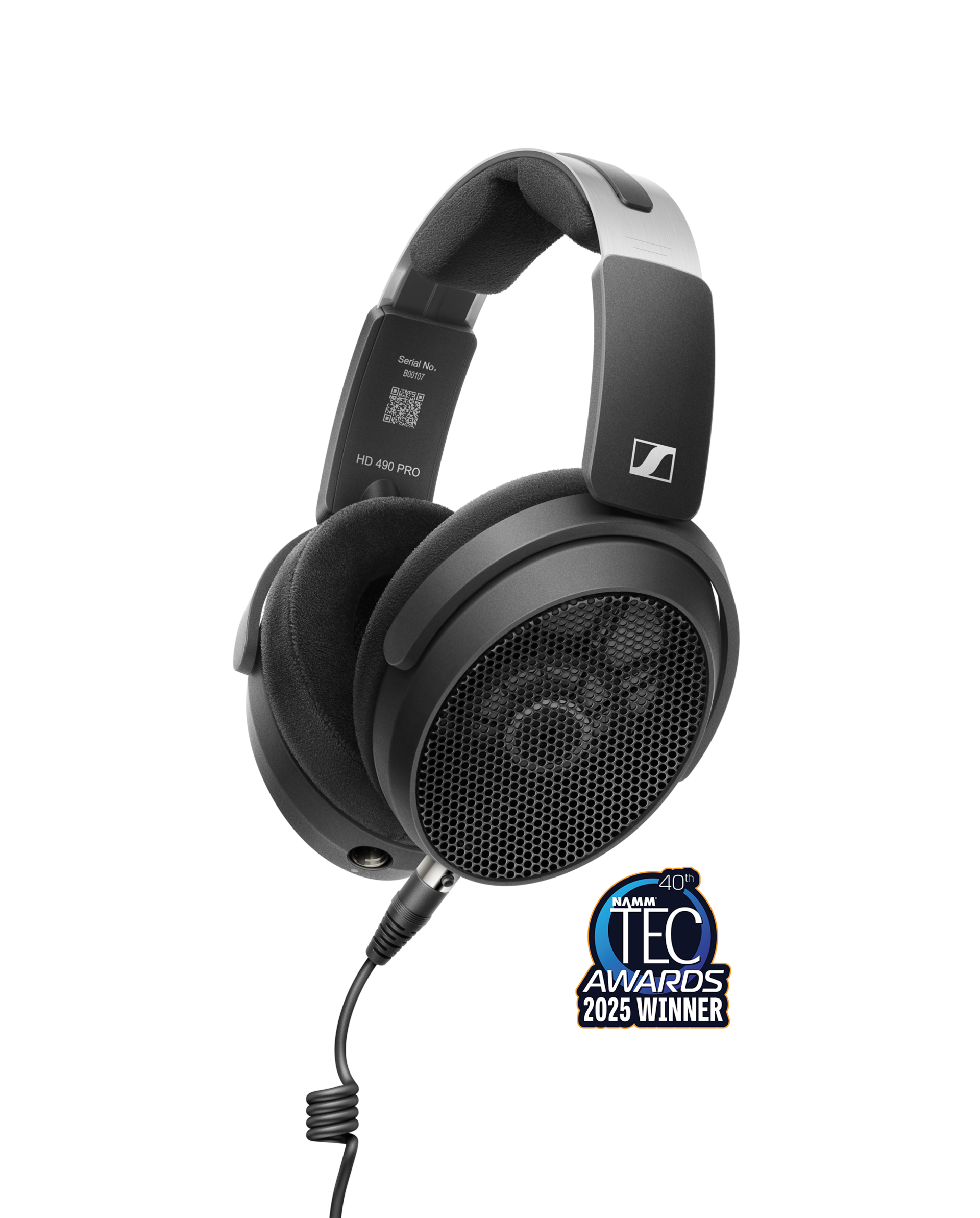
The Sennheiser HD 490 PRO is not a normal gaming headset. It is a wired, open-back professional headphone designed for accurate listening and studio work.
For GTA 6, it can deliver a wide, natural soundstage, making the city feel more alive. But because it is open-back, it leaks sound and does not block outside noise. It also does not include a gaming boom mic.
Pros
- Excellent sound quality
- Wide soundstage
- Great for editing and music
- Comfortable for serious listening
Cons
- Wired only
- No built-in gaming microphone
- Open-back design leaks sound
- Not ideal for noisy rooms
Best for: Audiophile players and creators who will use a dedicated microphone.
COMFYPLAYER pick: Best pure sound quality.
Best Microphones for GTA 6 Streaming
If you want to stream GTA 6, do not rely only on a headset mic. Viewers may forgive average gameplay, but they usually leave quickly if your voice sounds bad.
Best Overall: Shure MV7+
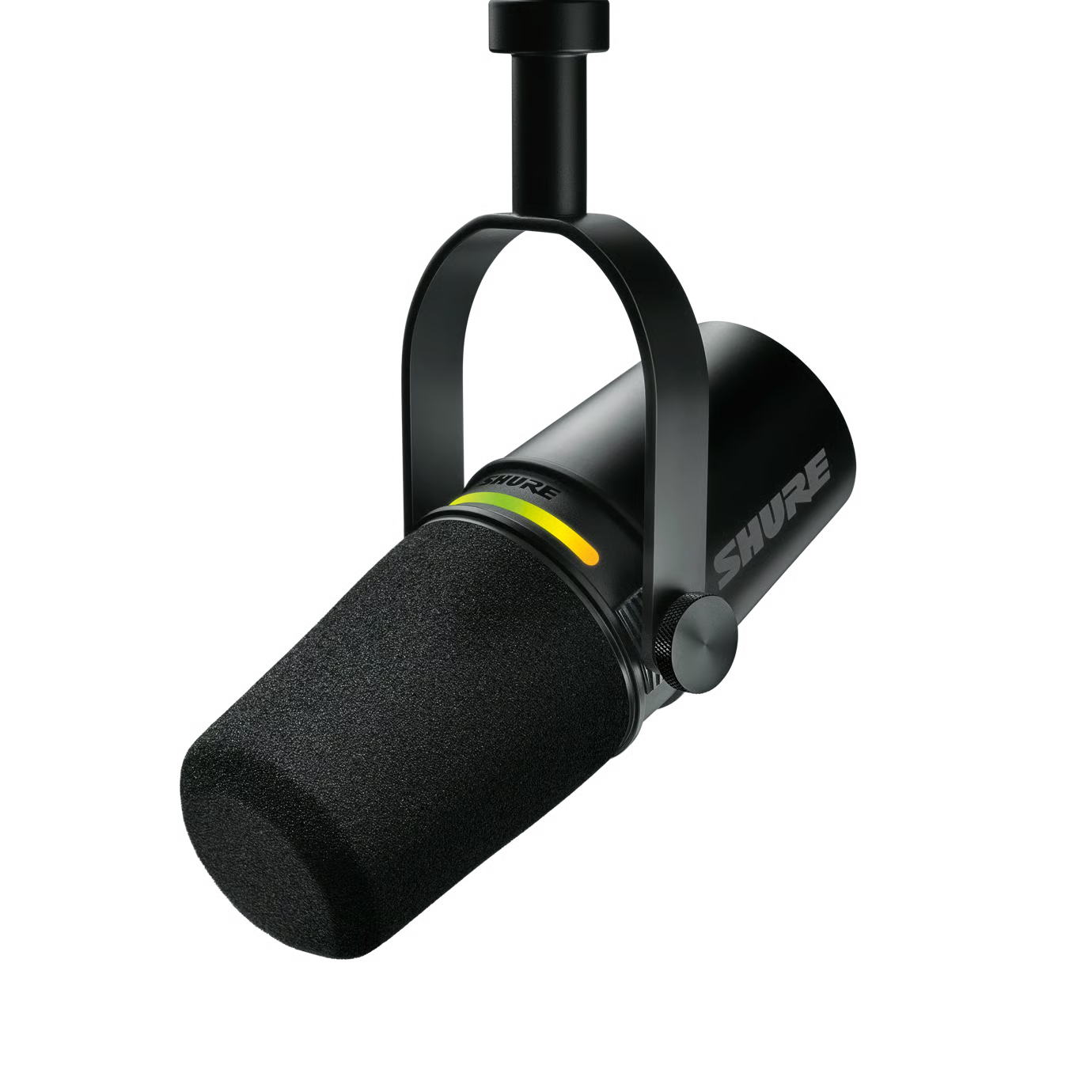
The Shure MV7+ is the best serious beginner microphone because it gives you room to grow. You can start with USB-C, then later upgrade to XLR with an audio interface.
It also includes useful creator features like Auto Level Mode, a digital pop filter, real-time denoising, and built-in DSP tools.
Best for: Beginners who want high-quality sound now and upgrade options later.
Best Easy USB Mic: HyperX QuadCast 2
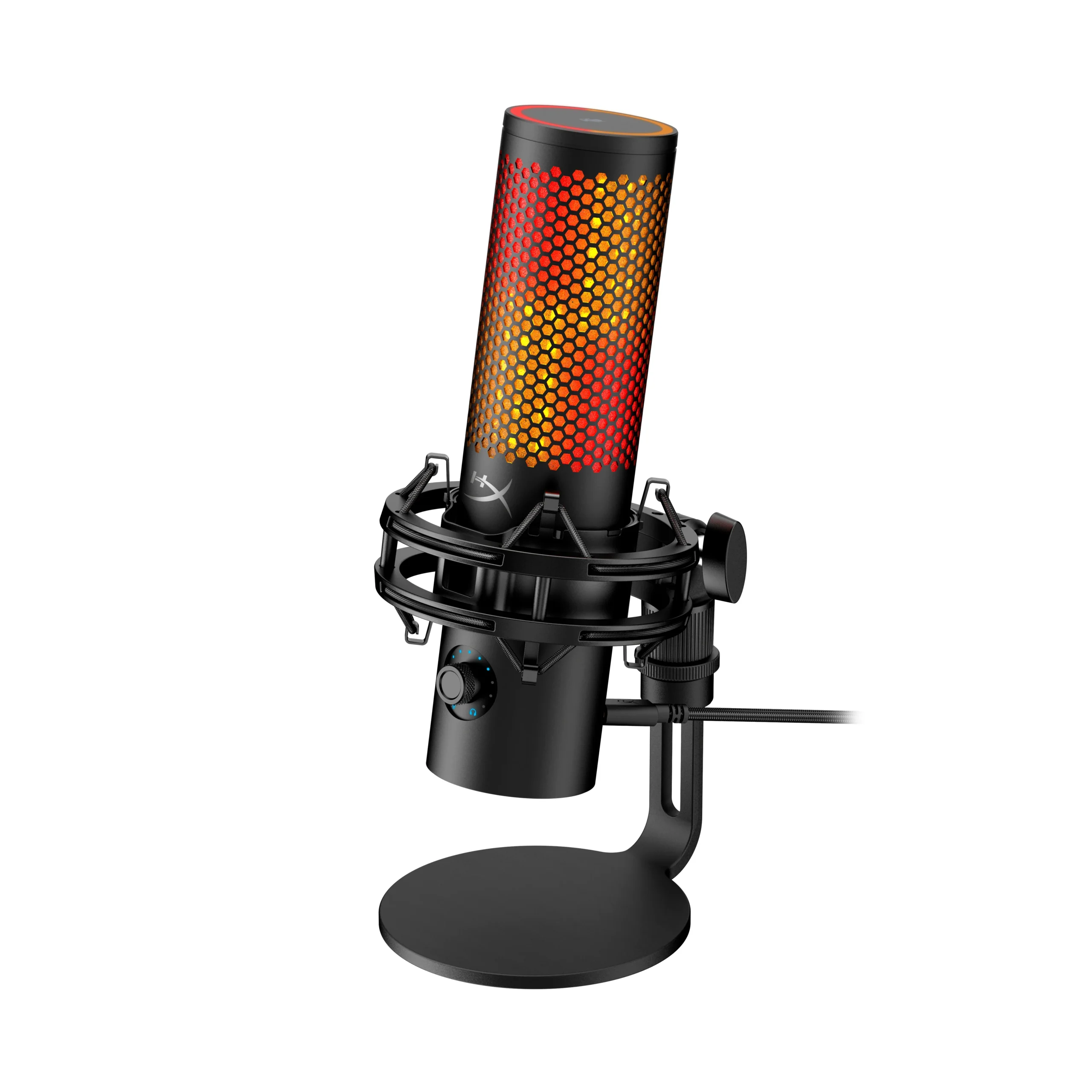
The HyperX QuadCast 2 is a strong beginner-friendly USB microphone. It is simple to set up, looks good on camera, and is easier for new streamers than building a full XLR setup.
Best for: Beginners who want plug-and-play streaming audio.
Best Premium Creator Mic: Shure SM7dB
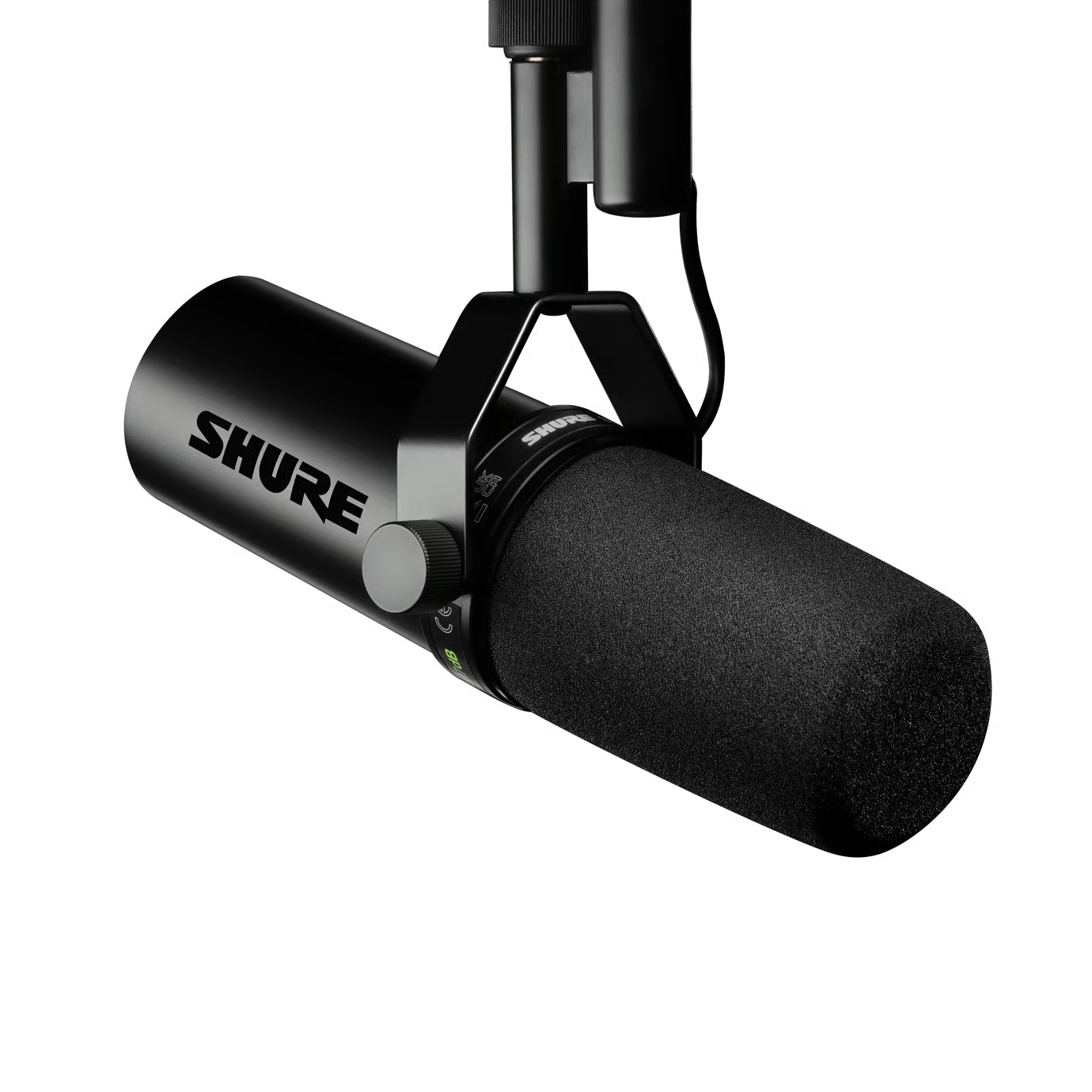
The Shure SM7dB is a premium dynamic microphone with a built-in preamp. It is made for creators who want that professional broadcast-style voice.
However, this is not the simplest option for beginners. You will still need an audio interface and a proper setup to get the most from it.
Best for: Serious creators, podcasters, and streamers with a higher budget.
Which Stream Deck Should a Beginner Choose for GTA 6 Streaming?
For GTA 6 streaming, an Elgato Stream Deck is one of the smartest upgrades a beginner creator can buy. It does not play games like a handheld console. Instead, it helps you control your livestream faster and more professionally.
A Stream Deck lets you trigger actions with one button, such as:
- Start or stop recording
- Switch OBS scenes
- Mute your microphone
- Change camera angles
- Launch sound effects
- Clip a funny GTA 6 moment
- Post stream alerts
- Control music
- Open Discord
- Trigger “BRB” or “Starting Soon” screens
- Switch between gameplay, webcam, and full-screen scenes
For GTA 6, this is extremely useful because the game will create nonstop content moments: police chases, crashes, funny NPC reactions, rare cars, roleplay scenes, and chaotic online events. A Stream Deck helps you capture and control those moments without fumbling through OBS menus.
Best Beginner Pick: Elgato Stream Deck MK2
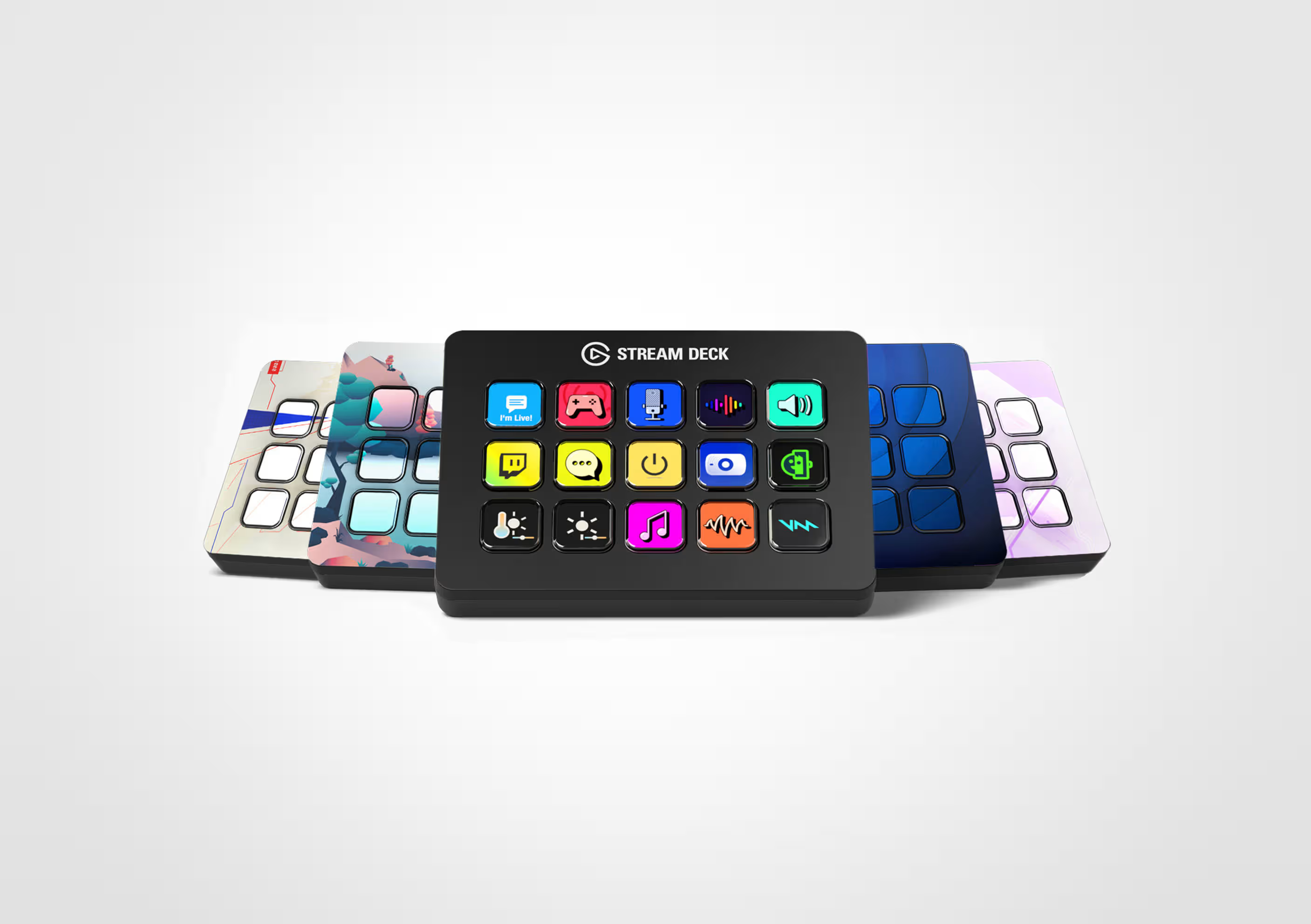
The Elgato Stream Deck MK2 is the best overall choice for most beginner GTA 6 streamers. It has enough buttons for serious streaming without being overwhelming. You can create folders, custom icons, OBS shortcuts, audio controls, and quick scene changes.
Best for: Beginners who want a clean, professional streaming workflow.
COMFYPLAYER verdict: Best Stream Deck for most GTA 6 creators.
Budget Pick: Elgato Stream Deck Neo
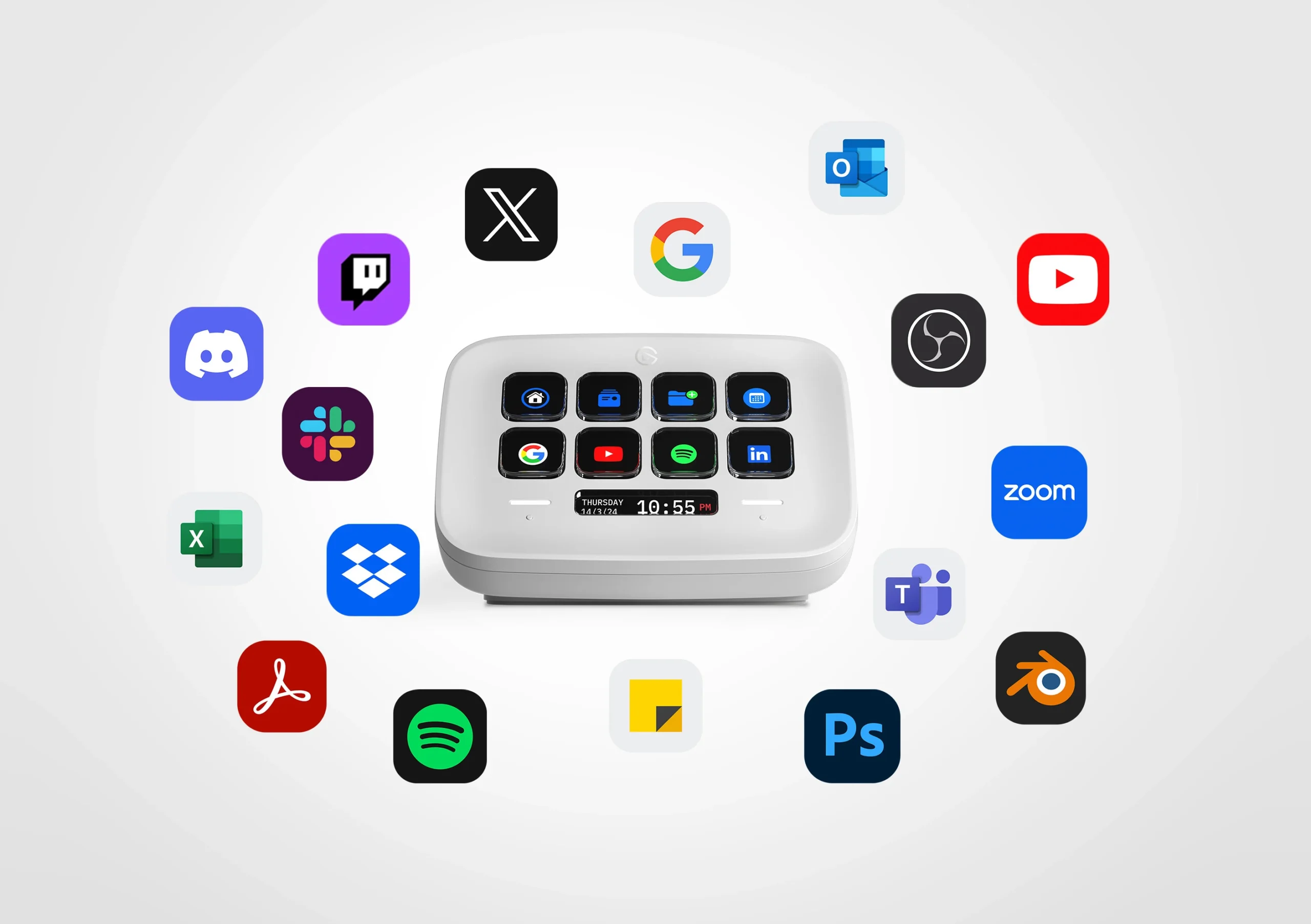
The Stream Deck Neo is better if you want a smaller and more affordable option. It gives you fewer keys, but it is still enough for basic stream controls like mute, scene switch, record, clip, and launch apps.
Best for: New streamers who want simple control without spending too much.
COMFYPLAYER verdict: Best budget Stream Deck.
Best for Audio Control: Elgato Stream Deck +
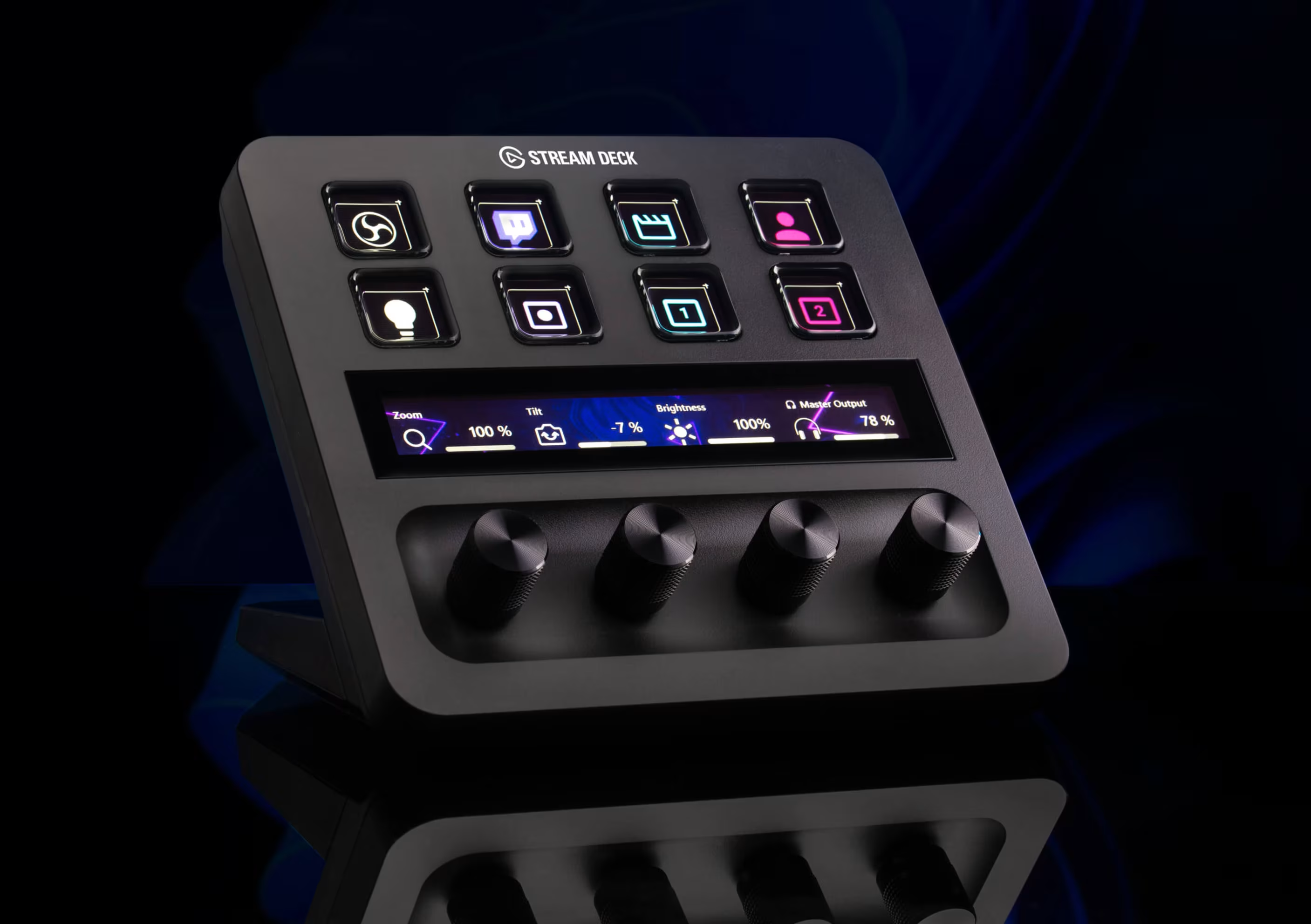
The Stream Deck + is ideal if audio control matters to you. The buttons and dials make it easier to adjust microphone volume, game audio, music, Discord, and stream alerts while live.
For GTA 6 streamers, this is useful because you may need to balance game sound, voice chat, background music, and your microphone during chaotic gameplay.
Best for: Streamers who want better audio mixing and live control.
COMFYPLAYER verdict: Best Stream Deck for audio-focused creators.
Best Advanced Pick: Elgato Stream Deck XL or Stream Deck + XL
The Stream Deck XL and Stream Deck + XL are for advanced streamers with larger setups. These are better if you run multiple cameras, complex OBS scenes, soundboards, lighting, Discord controls, sponsor overlays, and multi-platform production.
Most beginners do not need this on day one, but it is a strong upgrade later.
Best for: Advanced creators, full production setups, and serious GTA 6 streamers.
COMFYPLAYER verdict: Best for professional streaming setups.
| Category | Product | Best For | Main Strength | Weakness | COMFYPLAYER Verdict |
|---|---|---|---|---|---|
| Controller | DualSense Edge Wireless Controller | PS5 and PS5 Pro players | Official PS5 features, remapping, adaptive triggers | Expensive and less modular | Best overall controller |
| Controller | Razer Raiju V3 Pro | Competitive players | Fast inputs, pro layout, back buttons | Less PlayStation immersion than DualSense Edge | Best performance pick |
| Controller | Victrix Pro BFG Reloaded | Multi-genre gamers | Modular layout and customization | Must choose correct platform version | Best modular controller |
| Monitor | ROG Swift OLED PG32UCDM Gen3 | PS5 Pro and premium GTA 6 visuals | 32-inch 4K OLED balance | High price | Best monitor overall |
| Monitor | ROG Swift OLED PG34WCDM | PC gamers and creators | 34-inch curved ultrawide OLED immersion | Not ideal for console-first setups | Best cinematic PC option |
| Monitor | ROG Swift OLED PG27AQWP-G Edition 20 | Esports players | Extreme refresh rate modes | Less cinematic than 4K 32-inch OLED | Best esports monitor |
| Headset | Razer BlackShark V3 Pro | Most gamers and streamers | Wireless gaming, ANC, strong battery life | Dedicated mic still better for streams | Best headset overall |
| Headset | SteelSeries Arctis Nova Elite | Luxury streamers | Hi-Res wireless audio and multi-source mixing | Very expensive | Best luxury headset |
| Microphone | Shure MV7+ | Serious beginner streamers | USB-C and XLR upgrade path | Costs more than basic USB mics | Best mic overall |
| Stream Control | Elgato Stream Deck MK.2 | Beginner GTA 6 streamers | Custom keys for OBS scenes, clips, alerts, mute, and stream control | Not necessary if you only play and do not stream | Best Stream Deck for beginners |
| Stream Control | Elgato Stream Deck + | Audio-focused streamers | Custom keys, dials, and touch strip for live control | More expensive than basic Stream Deck models | Best for audio control |
How to Stream GTA 6 Like a Beginner Pro
A good GTA 6 stream is not just gameplay. It is personality, consistency, sound quality, visual quality, and smart editing.
You need:
- Console or PC capture setup
- OBS Studio or Streamlabs
- Dedicated microphone
- Headset
- Webcam or phone camera
- Stable internet
- Lighting
- Clean overlay
- Stream Deck for faster control
- Short-form clipping workflow
If you stream from PS5 directly, you can start quickly. If you want better control, stream through a PC using a capture card and OBS Studio.
Best Platforms to Stream GTA 6
YouTube — Best Long-Term Growth Platform

YouTube is the best platform for long-term GTA 6 content because livestreams can become videos, guides can rank in search, and Shorts can bring discovery.
Best GTA 6 content for YouTube:
- Beginner guides
- Mission walkthroughs
- Money-making guides
- Best cars
- Hidden details
- Funny moments
- “Things you missed” videos
- Controller and settings guides
Twitch — Best Live Community Platform
Twitch is still one of the strongest platforms for live gaming communities. It works well if you are interactive, consistent, and entertaining.
Best GTA 6 content for Twitch:
- Long live sessions
- Viewer challenges
- Roleplay streams
- Community races
- Police chase events
- Chat-controlled gameplay
Kick — Best Alternative Streaming Platform

Kick can be useful for new streamers who want another live platform to build community. It is especially interesting for long streams, personality-driven content, and creators who want to test different audiences.
Best GTA 6 content for Kick:
- Long sessions
- High-energy gameplay
- Open-world chaos
- Community hangouts
- Roleplay-style streams
TikTok, Instagram Reels, and YouTube Shorts — Best Discovery Tools

Short-form video is essential. Do not only stream and hope people find you. Turn every stream into clips.
Post:
- Funny crashes
- Police chases
- Rare cars
- NPC reactions
- Fails
- Best moments
- Quick tips
- Setup clips
- Reaction clips
Your goal is simple: use short videos to bring viewers back to your main YouTube, Twitch, or Kick stream.
GTA 6 Streaming Money Strategy
Phase 1: Build Before Launch
Do not wait until launch day. Start now.
Create content around:
- GTA 6 news
- Trailer breakdowns
- Confirmed platforms
- PS5 Pro setup
- Best controllers
- Best monitors
- Best microphones
- Best Stream Deck setup
- GTA V practice streams
- Free-to-Play Games to build confidence
- Gaming apparel and accessories
This gives your channel a foundation before everyone starts streaming GTA 6 at the same time.
Phase 2: Launch Week Content Plan
Launch week is your biggest opportunity.
Stream and post:
- First reaction
- First mission
- First 10 hours
- Best settings
- Best controller layout
- First car collection
- First funny moments
- First beginner mistakes
- First money guide, once the game allows it
Do not stream silently. Talk through your decisions, react to the world, explain what you are doing, and give viewers a reason to stay.
Phase 3: Build a Repeatable Series
After launch, random gameplay is not enough. You need repeatable content ideas.
Series ideas:
- From Broke to Rich in GTA 6
- Best Cars Ranked
- Viewer Controls My Choices
- No Map Challenge
- Police Chase Mondays
- GTA 6 Roleplay Beginner Journey
- Best GTA 6 Accessories Setup
- Worst Decisions in GTA 6
- Building the Ultimate Garage
- Beginner to Pro GTA 6 Online Journey
Revenue Streams for GTA 6 Creators
Do not rely only on ads. Build multiple income paths.
Possible revenue streams:
- YouTube ad revenue
- Twitch subscriptions
- Kick subscriptions
- Super Chats
- Donations
- Affiliate links for controllers, monitors, headsets, microphones, and Stream Decks
- Gaming accessories
- Sponsored gear reviews
- Discord membership
- Digital guides
- Brand deals
- Short-form video sponsorships
Always disclose affiliate links and sponsorships clearly. Trust is one of the most valuable assets for a gaming creator.
Best Beginner GTA 6 Setup Recommendation
If you want the cleanest beginner premium setup, go with:
- Console: PS5 Pro
- Controller: DualSense Edge
- Monitor: ROG Swift OLED PG32UCDM Gen3
- Headset: Razer BlackShark V3 Pro
- Microphone: Shure MV7+
- Stream Control: Elgato Stream Deck MK.2
- Streaming Software: OBS Studio
- Platforms: YouTube, Twitch, TikTok, Instagram Reels, and YouTube Shorts
If you want the highest-end creator setup, upgrade to:
- Controller: Razer Raiju V3 Pro
- Monitor: ROG Swift OLED PG34WCDM for PC and creator workflow
- Headset: SteelSeries Arctis Nova Elite
- Microphone: Shure SM7dB with audio interface
- Stream Control: Elgato Stream Deck + or Stream Deck + XL
- Streaming Strategy: YouTube for search, Twitch/Kick for live, TikTok/Shorts/Reels for discovery
Final Thoughts
Preparing for GTA 6 is about more than pre-ordering the game. It is about building a setup that makes the experience feel premium from day one. A strong controller gives you better control. A great OLED monitor makes the city look alive. A quality headset pulls you into the world. A dedicated microphone helps your stream sound professional. A Stream Deck helps you control your content like a real creator.
For most players, the best GTA 6 preparation setup is simple: PS5 Pro, DualSense Edge, ROG Swift OLED PG32UCDM Gen3, Razer BlackShark V3 Pro, Shure MV7+, and Elgato Stream Deck MK.2. For creators, the real advantage comes from consistency, personality, short-form clips, and a smart monetization plan.
At COMFYPLAYER, our mission is simple: Plug it in, change the world. Stay connected with us for more gaming news, guides, hardware reviews, apparel ideas, accessories, and GTA 6 updates built for players who want the highest-quality gaming experience.
7. FAQ Section
Is GTA 6 confirmed for PC?
No. At the time of writing, GTA 6 is officially listed for PS5 and Xbox Series X|S. A PC release has not been confirmed yet.
Should I buy a PS5 Pro for GTA 6?
Yes, if you want the strongest PlayStation hardware and plan to play other PS5 Pro enhanced games. However, Rockstar has not confirmed GTA 6-specific PS5 Pro performance details yet.
What is the best controller for GTA 6?
The DualSense Edge is the best overall controller for most PS5 players. The Razer Raiju V3 Pro is better for competitive players, while the Victrix Pro BFG Reloaded is best for modular customization.
What is the best monitor for GTA 6?
The ROG Swift OLED PG32UCDM Gen3 is the best overall choice because it gives you a 32-inch 4K OLED experience that fits PS5 Pro and future PC gaming.
Is an ultrawide monitor good for GTA 6?
It can be great for PC gaming if supported, but console players should be careful because PS5 is mainly designed for 16:9 output. For console-first players, a 32-inch 4K OLED is safer.
What headset should I buy for GTA 6?
The Razer BlackShark V3 Pro is the best overall headset for most players. The SteelSeries Arctis Nova Elite is the luxury pick, while the Sennheiser HD 490 PRO is best for audiophile players using a separate mic.
What microphone should beginners use for streaming GTA 6?
The Shure MV7+ is the best serious beginner microphone because it works through USB-C and XLR. The HyperX QuadCast 2 is a simpler plug-and-play USB option.
Is Stream Deck the same as Steam Deck?
No. Steam Deck is Valve’s handheld gaming PC. Stream Deck is Elgato’s control device for streamers and creators. For this GTA 6 setup guide, the correct product is Elgato Stream Deck.
Which Stream Deck should beginners choose for GTA 6 streaming?
The Elgato Stream Deck MK.2 is the best choice for most beginners because it gives you enough customizable buttons for OBS scenes, microphone mute, recording, clipping, alerts, music, and stream control without being too complicated.
Do I need a Stream Deck to stream GTA 6?
No, but it makes streaming much easier. You can stream without one, but a Stream Deck helps you look more professional because you can control scenes, audio, clips, and alerts instantly.
Can a beginner make money streaming GTA 6?
Yes, but it requires consistency. Stream regularly, post Shorts, TikToks, and Reels daily, talk to your audience, build a niche, and use multiple income streams like ads, subscriptions, donations, affiliate links, and sponsorships.